




What Is Business Text Messaging (Mass Texting)?
Business text messaging lets companies send and receive SMS, MMS, and RCS messages using a dedicated business number instead of a personal cell phone. It enables businesses to send notifications, promotional offers, appointment reminders, order updates, and customer support messages directly to recipients’ mobile phones.
Unlike personal texting, business text messaging typically uses dedicated messaging platforms that support automation, contact management, message scheduling, personalization, and two-way conversations. Businesses can also integrate these platforms with CRM systems, customer support tools, and marketing software to manage communications at scale.
Text messaging solutions typically support mass text messaging for business, which involves sending messages to large groups of recipients simultaneously. Rather than creating individual conversations manually, businesses can distribute promotional campaigns, service announcements, emergency alerts, and other communications to hundreds or thousands of contacts through a single campaign.
Business text messaging supports two types of communications:
- Transactional messages provide information related to customer interactions, such as shipping notifications or verification codes.
- Promotional messages focus on marketing activities, including discounts, product announcements, and special offers.
How does mass business text messaging work?
- Choose an SMS provider: Select a reliable platform with strong deliverability, compliance tools, automation, and integrations.
- Register a phone number: Choose and register an appropriate sender number to meet carrier requirements and help reduce filtering.
- Grow your contact list: Collect opt-ins through forms, loyalty programs, or QR codes, and promptly honor opt-out requests.
- Create and send a large volume of messages: Write targeted texts, schedule campaigns, and track performance to improve results.
Business Text Messaging (Mass Texting) Solutions at a Glance
The table below summarizes the key differences between the mass text messaging solutions covered in this guide. Each one is explored in more detail in the sections that follow.
| Category | Solution | Best For | Key Strengths | Things to Consider |
| CPaaS and API-Driven Platforms | MMDSmart MessageWhiz | High-volume SMS campaigns across 190+ countries | Owned direct routes, number validation, AI message testing | Advanced automation relies on API or CRM integration |
| CPaaS and API-Driven Platforms | Twilio Programmable Messaging | Developers building custom mass texting | Global carrier network, flexible APIs, multiple sender types | Requires development work; costs climb at volume |
| CPaaS and API-Driven Platforms | Infobip Bulk SMS | Enterprises running global SMS with other channels | 800+ direct telco connections, two-way SMS | Support response times can be slow |
| Self-Service SMS Marketing Platforms | Sinch Engage | Mid-size teams texting from their CRM | CRM integrations, shared inbox, drip campaigns | Campaign setup steps could be simpler |
| Self-Service SMS Marketing Platforms | SimpleTexting | US and Canadian SMBs | All features on all plans, mobile apps, free incoming SMS | Setup and registration can take time |
| Self-Service SMS Marketing Platforms | EZ Texting | Small teams sending group promotions and alerts | Groups, recurring schedules, AI Compose, SafeSTOP | Credit-based pricing hard to predict |
| Self-Service SMS Marketing Platforms | Textmagic | Two-way SMS plus email in one platform | Unified inbox, flow builder, bring your own CPaaS | Incoming message costs and price changes |
| Self-Service SMS Marketing Platforms | SlickText | SMBs growing opt-in SMS lists | List growth tools, dynamic segments, site tracking | MMS uses 3 credits; costs rise with list size |
Business Text Messaging vs. Mass Texting vs. Group Texting
Business text messaging, mass texting, and group texting all involve sending SMS or MMS messages, but they differ in their intended purpose, delivery methods, and how recipients interact with messages.
- Business text messaging: A broad category covering one-to-one and one-to-many communications between organizations and their customers or employees. It supports automated notifications, personalized marketing, customer service, and two-way conversations, often through dedicated business messaging platforms.
- Mass texting: The practice of sending the same or personalized text message to a large audience simultaneously. Each recipient typically receives an individual message and cannot see other recipients or their responses. Businesses commonly use mass texting for marketing campaigns, emergency alerts, and company-wide announcements.
- Group texting: A messaging method in which multiple participants are included in a shared conversation. Depending on the messaging technology and device settings, recipients may see other participants and their replies. Group texting is generally better suited to small teams, collaborative discussions, and informal coordination than large-scale customer communications.
The key difference is that business text messaging describes the overall communication use case, while mass texting and group texting describe specific delivery methods. Mass texting is commonly used within business text messaging strategies to reach large audiences, whereas group texting is designed for conversations involving multiple participants.
Key Benefits of Business Text Messaging
Business text messaging enables organizations to communicate with customers quickly, efficiently, and at scale. By delivering messages directly to mobile phones, businesses can improve customer engagement, streamline operations, and support both marketing and customer service activities.
The key benefits of business text messaging include:
- High visibility and engagement: Text messages appear directly on recipients’ mobile devices, making them easy to access without opening an email application or visiting a website. This can improve the visibility of time-sensitive communications, promotional offers, and important notifications.
- Fast and direct communication: Businesses can deliver appointment reminders, order updates, service alerts, and promotional messages within seconds. This makes SMS particularly useful for urgent notifications and communications requiring prompt customer action.
- Scalable customer outreach: Mass text messaging platforms allow businesses to reach thousands of recipients through a single campaign. Automation, contact segmentation, and message templates reduce the manual effort required to manage large-scale communications.
- Personalized customer experiences: Businesses can tailor messages based on customer names, preferences, purchase histories, locations, or previous interactions. CRM integrations and dynamic message fields make it possible to deliver personalized communications even in large campaigns.
- Improved customer service: Two-way business texting allows customers to ask questions, request assistance, confirm appointments, and resolve issues through a familiar communication channel. Support teams can manage multiple conversations through centralized messaging platforms.
- Measurable campaign performance: Business texting platforms can track message delivery status, recipient responses, link clicks, and conversions when appropriate tracking is configured. These insights help organizations evaluate campaign effectiveness, improve audience targeting, and optimize future communications.
How Does Mass Text Messaging Work?
A mass text messaging service for business allows organizations to send and manage SMS campaigns through a few simple steps. It automates communication with large contact lists, helping businesses deliver timely and relevant messages directly to customers’ phones.
1. Choose an SMS provider
Select a reliable platform that supports high delivery rates and easy setup. Look for scalability, compliance with messaging regulations, and integrations with your marketing tools.
A strong provider should offer features like analytics, segmentation, API access, and automated workflows.
You’ll also want robust deliverability infrastructure, such as direct carrier connections, smart routing, and proactive monitoring, to ensure your messages arrive quickly and consistently.
2. Register a phone number
Use a dedicated short code, long code, or verified number to send SMS messages. Registration ensures that messages are compliant and not flagged as spam.
Different number types have different use cases: short codes support high-volume alerts and promos, while long codes are better for conversations or lower-volume campaigns.
Proper registration also helps you meet carrier requirements, reduce filtering, and maintain trust with your audience.
3. Grow your contact list
Build your audience through opt-in methods such as sign-up forms, loyalty programs, or QR codes. Always collect contacts ethically and ensure compliance with privacy laws.
Strong list growth also means using incentives, such as exclusive offers, early access, or giveaways, to increase opt-ins.
Maintain list hygiene by removing invalid numbers and honoring opt-out requests promptly to protect deliverability and brand reputation.
4. Create and send a large volume of messages
Write concise, valuable messages that provide clear calls to action. Most mass texting platforms allow you to automate campaigns, schedule sends, and personalize messages based on customer behavior.
Use segmentation to tailor messages to specific groups and A/B testing to refine your approach. After sending, monitor performance metrics like delivery rate, click-through rate, and conversions to continually optimize future campaigns.
Related content: Read our guide to business text messaging software.
Key Features of a Modern Business Text Messaging Service
Modern mass texting services go far beyond one way broadcasting. The best platforms combine automation, analytics, and two-way communication to create personalized customer experiences that increase engagement, improve retention, and drive measurable business results.
Contact segmentation and targeting
Advanced segmentation allows businesses to group subscribers based on shared characteristics such as demographics, interests, behavior trends, or purchase history and tailor content for each audience. This ensures customers receive messages that feel relevant and timely, improving click-through rates, conversions, and overall customer satisfaction.
Modern platforms also support dynamic segments that update automatically as customer behavior changes. For example, a subscriber who recently made a purchase can be moved into a post-purchase follow-up segment, while inactive users can be routed into a win-back campaign.
Segmentation can be based on:
- Purchase history or browsing behavior
- Location or time zone
- Engagement level such as active, dormant, or VIP
- Customer lifecycle stage
- Preferences or past responses
Message automation and scheduling
Automation allows businesses to run campaigns on autopilot, ensuring timely communication without manual intervention. You can create workflows that trigger messages based on customer actions such as sign-ups, appointments, orders, or abandoned carts, which helps deliver the right message at the right moment.
Scheduling tools also allow marketers to plan campaigns days or weeks in advance. Messages can be queued for specific time zones, optimized for peak engagement windows, and arranged to avoid sending during quiet hours. This creates a consistent customer experience while freeing up marketing and operations teams to focus on higher-value work.
Automation examples include:
- Welcome series for new subscribers
- Appointment reminders and confirmations
- Time-based drip campaigns
- Re-engagement sequences
- Delivery or order-status updates
Two-way communication and conversational SMS
Modern SMS platforms support fully interactive messaging, allowing customers to reply with questions, feedback, or purchase decisions. This transforms SMS from a one-way notification tool into a conversational channel that strengthens customer relationships and builds trust.
Two-way texting is especially useful for service updates, customer support, lead qualification, and post-purchase engagement. Many platforms also offer keyword-based responses or AI-assisted conversations to guide users automatically, reducing the burden on support teams.
Two-way messaging enables:
- Customer support conversations
- Keyword triggers such as texting SALE for discounts
- Feedback and surveys
- Order-tracking replies
- Personalized recommendations
Integrations with CRM and marketing tools
A modern mass texting service should sync seamlessly with CRM platforms such as Salesforce, HubSpot, or Zoho, as well as marketing automation tools and ecommerce platforms. Integrations keep contact lists updated, centralize customer data, and ensure that SMS campaigns are aligned with other communication channels.
This unified approach helps businesses maintain accurate audience profiles and creates a continuous flow between SMS, email, chat, in-app notifications, and advertising. It also improves attribution and reporting, making it easier to understand the full customer journey.
Integrations make it possible to:
- Trigger SMS from CRM activity
- Sync customer attributes and tags
- Track cross-channel engagement
- Create automated omnichannel workflows
- Consolidate analytics into a single view
Reporting and analytics dashboards
Analytics provide actionable insights into how campaigns perform, helping businesses understand what resonates with customers. Modern dashboards display metrics such as delivery rate, click-through rate, conversions, opt-out trends, and response times in real time.
These insights allow marketers to refine messaging, test new approaches, and optimize campaigns for better performance. Some platforms also include heatmaps, A/B testing tools, and cohort analysis features, enabling deeper data-driven decision-making. Over time, analytics help businesses increase return on investment by focusing on content and timing that produce the strongest outcomes.
Analytics typically include:
- Delivery rate and carrier filtering trends
- Click-through and conversion tracking
- Response and reply rates
- Opt-in and opt-out changes
- Performance by segment or message type
- A/B test comparisons
Learn more in our detailed guide to bulk sms for business.
Business Text Messaging Use Cases
Business text messaging helps organizations deliver timely, relevant communications directly to customers’ mobile phones. SMS and MMS support promotional campaigns, automated reminders, customer updates, security verification, and event communications.
- Marketing campaigns: Promote products, announce sales, and share personalized offers through segmented, automated campaigns. Obtain appropriate marketing consent and provide required opt-out options.
- Appointment reminders: Automatically send reminders through booking or CRM integrations, allowing customers to confirm, cancel, or reschedule appointments while reducing missed visits and administrative work.
- Customer alerts: Trigger timely notifications about orders, deliveries, payments, account activity, or service disruptions, keeping customers informed without requiring them to check email or an application.
- OTP and two-factor authentication: Send short-lived verification codes for registration, login, password resets, and sensitive transactions. SMS has security vulnerabilities; consider passkeys or authenticator apps for higher-risk scenarios.
- Event notifications: Send registration confirmations, reminders, venue details, check-in instructions, and follow-ups. Quickly notify attendees about schedule changes, delays, or cancellations without requiring a dedicated application.
Business Texting Compliance and Registration
Businesses that use SMS and MMS to communicate with customers must comply with applicable regulations, industry guidelines, and mobile carrier requirements. These rules are designed to protect consumers from unsolicited messages, provide transparency about message senders, and ensure recipients can control the communications they receive.
In the United States, business texting compliance primarily involves the Telephone Consumer Protection Act (TCPA), CTIA messaging guidelines, and A2P 10DLC registration requirements. Businesses operating internationally must also consider local telecommunications and data protection laws, such as the GDPR in the European Union.
Key compliance and registration requirements include:
- Obtain appropriate consent: Businesses must obtain the required level of consent before sending messages. Automated marketing texts generally require prior express written consent under the TCPA, while certain informational messages may have different requirements. Consent should clearly identify the sender and the types of messages recipients can expect.
- Provide clear opt-out mechanisms: Recipients must have a straightforward way to stop receiving messages, typically by replying STOP. Businesses must also recognize other reasonable revocation requests, maintain suppression lists, and honor opt-outs within applicable deadlines.
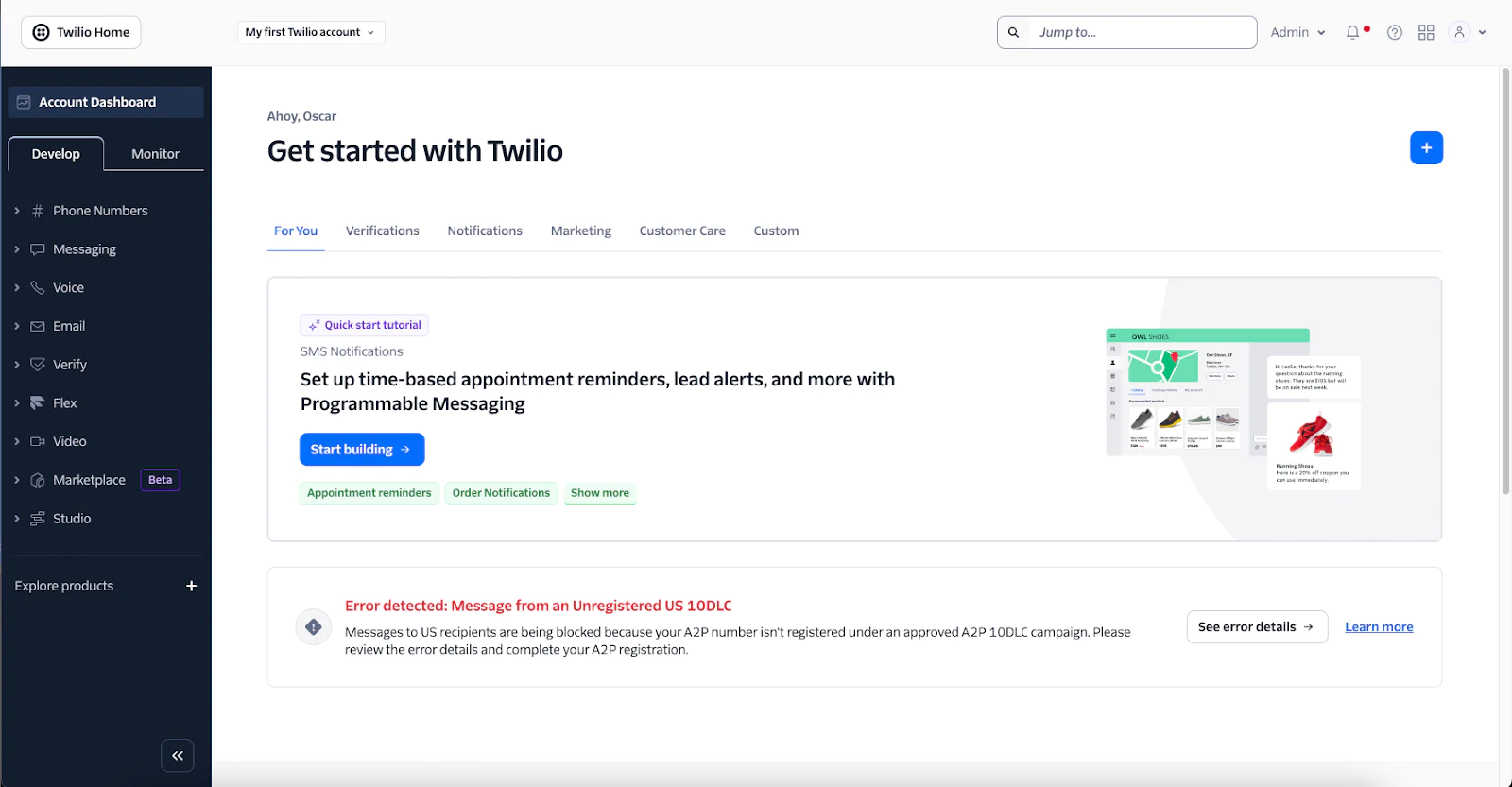
- Register for A2P 10DLC: Businesses sending application-to-person (A2P) messages through standard 10-digit long code numbers to U.S. recipients generally need to register their brand and messaging campaigns through The Campaign Registry (TCR). Registration includes verifying business information, identifying messaging use cases, and providing sample messages and consent collection details.
- Follow CTIA messaging guidelines: The Cellular Telecommunications Industry Association (CTIA) publishes industry best practices covering consumer consent, sender identification, message transparency, and opt-out procedures. Businesses should disclose relevant messaging terms, including message frequency and potential carrier charges.
- Use approved messaging channels: Depending on the messaging volume and use case, businesses can use registered 10DLC numbers, verified toll-free numbers, or dedicated short codes. Each option has different registration, verification, throughput, and carrier approval requirements.
Top Business Text Messaging (Mass Texting) Solutions for Business Compared
How we selected these solutions: We shortlisted mass text messaging platforms based on bulk SMS and MMS delivery, audience segmentation and personalization, scheduling and automation, two-way messaging, compliance tooling, and campaign reporting.
CPaaS and API-Driven Mass Messaging Platforms
MessageWhiz by MMDSmart

Best for: Businesses running high-volume SMS campaigns across 190+ countries
Strengths: Owned direct routes, number validation, and AI message testing
Things to consider: Advanced automation relies on API or CRM integration setup
MessageWhiz is the business messaging platform from MMDSmart, a cloud communications company operating since 2007. Its mass SMS service lets marketing, operations, and customer success teams upload recipient lists, personalize messages, and send campaigns to 190+ countries from a single account.
Messages travel over network routes that MMDSmart controls directly rather than through resellers, and routing is adjusted by destination based on real-time network conditions. Campaigns can be sent manually, scheduled, or triggered via API from a CRM, AI agent, or other system. Per-country pricing is shown before sending.
Key features include:
- Direct-route delivery: Sends messages over owned routes to 190+ countries instead of reseller paths. Routing is selected automatically by destination based on live network conditions, with delivery rates above 99%.
- Contact import and number validation: Imports contacts by CSV or through a connected CRM, AI agent, or management system. Number Lookup checks whether each number is active and removes invalid numbers before a campaign is sent.
- Personalization and AI message testing: Adds personalization tokens to tailor each message by recipient. Teams can test up to five AI-generated message versions on the same broadcast, and the platform picks the version with the strongest engagement.
- CTR-based segmentation: Monitors click-through rates as a campaign runs. If a batch falls below a defined threshold, further sends are paused automatically.
- Scheduling and API triggers: Schedules campaigns in advance or triggers sends in real time via API. Transactional messages such as order updates and appointment reminders can fire automatically from booking systems or CRMs.
- Real-time reporting: Displays live campaign dashboards with delivery rates, click-through rates, and cost per message. Data can be exported by country and network.
- Encrypted OTP delivery: Delivers one-time passwords over SMS with encryption that protects against SIM swapping and interception, for use in financial services and fintech.
- Dedicated account management: Every plan includes a dedicated account manager and 24/7 support. Guided onboarding and bespoke API development support are available on request.
Limitations (based on publicly available sources):
- Integration-based automation: Behavior-triggered sends run through API connections to a CRM, AI agent, or other management system, so automated workflows depend on that integration being set up.
- Destination-based pricing: Message costs vary by destination country. Teams can see each country’s rate before sending, but multi-country campaigns need per-market budgeting.
- Sending-focused feature set: The mass messaging service centers on delivery, validation, testing, and reporting. Subscriber list growth tools such as website popups or text-to-join keywords are not part of the described feature set.
2. Twilio Programmable Messaging

Best for: Developer teams building custom mass texting into their own apps
Strengths: Global carrier network, flexible APIs, and multiple sender types
Things to consider: Requires development work; costs can climb at high volumes
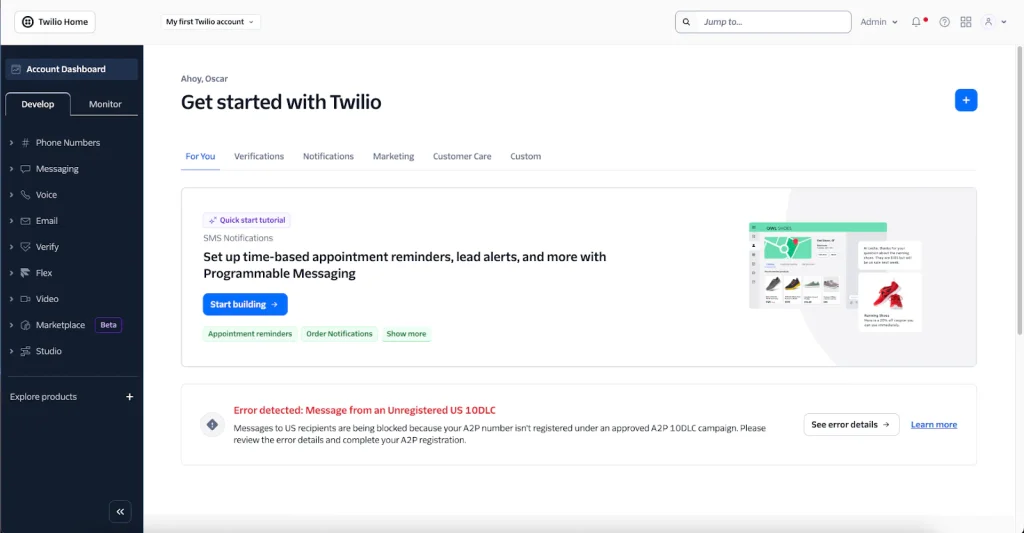
Twilio is a cloud communications platform whose Programmable Messaging API lets businesses build their own mass texting services. Teams create a messaging service in the Twilio Console or through the REST API, select SMS-capable numbers, and write sending logic in Python, Node.js, Java, PHP, Ruby, C#, or Go.
In May 2026, Twilio released a Bulk Messaging API in public beta that sends up to 10,000 messages per request. Delivery runs over 4,800+ carrier connections in 180+ countries, with pay-as-you-go pricing and volume discounts. Businesses without developers can work with Twilio partners.
Key features include:
- Bulk Messaging API (public beta): Sends up to 10,000 SMS, MMS, or RCS messages in one API request, which removes the need for custom queuing, rate limiting, and retry logic. It personalizes text, images, and tags per recipient using Liquid and supports scheduled bulk sends.
- Messaging services: Groups sender numbers and settings for bulk sending. Options include scheduling, shortened links, two-way conversations, custom opt-out handling, and analytics data.
- Sender number options: Supports short codes that send 100+ messages per second, toll-free numbers, A2P 10DLC long codes, and alphanumeric sender IDs, drawn from an inventory of 200+ number types.
- Traffic Optimization Engine: Applies real-time routing algorithms across carrier connections and manages capacity. Routes are monitored for latency and outages.
- Number validation: Confirms that phone numbers are legitimate and correctly formatted with the Lookup API. Reassigned Number checks whether a number still belongs to the intended person.
- Compliance tooling: Trust Hub supports carrier registration and sender verification, helping businesses meet requirements for A2P messaging traffic.
- Reporting and data: Provides built-in reporting through Messaging Insights. Teams can build custom reporting from Event Streams, webhooks, and CSV downloads.
Limitations (as reported by users on G2):
- Costs at scale: Messaging costs can rise quickly at high volumes, and the pricing and billing structure can be hard to follow.
- Support response times: Support can be slow to respond unless the account is on a premium support plan.
- Technical setup required: Initial configuration can be difficult for non-technical teams and generally requires programming knowledge.
- Complex advanced workflows: Setting up multichannel workflows and advanced features can be demanding for smaller teams.
Source: Twilio
3. Infobip Bulk SMS

Best for: Enterprises running global SMS campaigns alongside other channels
Strengths: 800+ direct telco connections and broad two-way SMS coverage
Things to consider: Support response times can be slow for technical issues
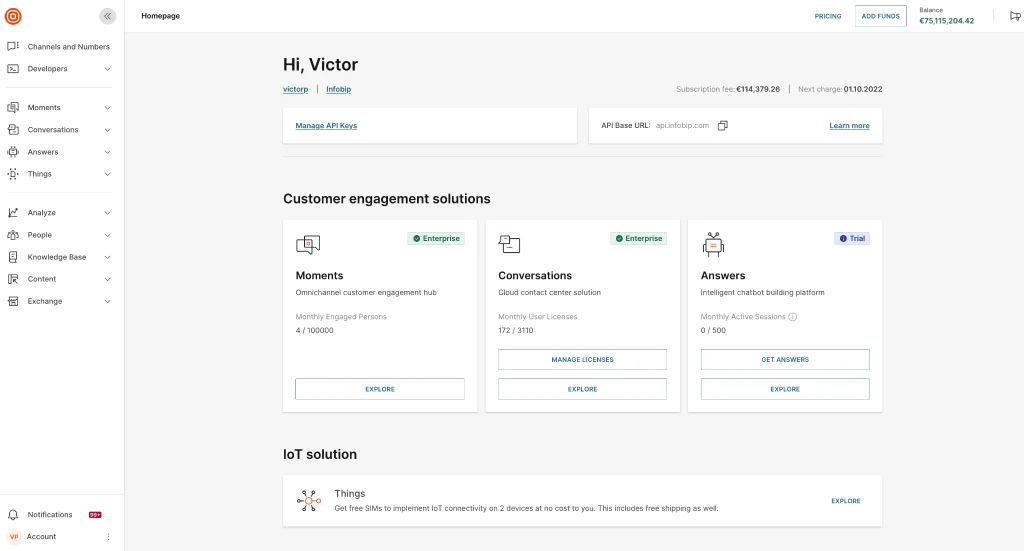
Infobip is a cloud communications platform with a bulk SMS service delivered through 800+ direct telco connections. Businesses can send campaigns from the Infobip web portal or generate an API key to send programmatically, with pay-as-you-go pricing or volume packages for large senders.
Contact lists can be managed in Infobip’s customer data platform, where teams build profiles and audience segments. The platform includes consent management, secure data handling, and auditing features that support TCPA and GDPR requirements.
Key features include:
- Global delivery network: Routes messages through 800+ direct telco connections, so campaigns can reach recipients worldwide from one account.
- Broadcast campaigns: Creates one-time campaigns in the portal with Broadcast. Messages can be saved as templates, tested on a small group, and monitored as they send.
- Personalization and segmentation: Uses demographic, behavioral, and other customer data to personalize messages. Audiences can be segmented and targeted by behavior.
- Two-way SMS: Lets customers reply to brand messages, with two-way support available across a wide range of countries.
- Scheduling and send-time optimization: Schedules promotional campaigns in advance. The platform can also pick the best sending time for each recipient based on past opens and clicks.
- Campaign automation: Automates messaging campaigns and connects to existing systems through integrations and the SMS API.
- Analytics dashboard: Tracks delivery, open, click-through, and conversion rates in real time.
Limitations (as reported by users on G2):
- Slow support responses: Several users report waiting days for support replies, which can delay campaigns that are blocked by technical issues.
- Unclear failure reporting: Reporting can lack detail when campaigns fail to send or are delayed, especially during testing.
- Account management changes: Some users note that sales or account representatives change frequently, which means re-explaining processes.
- Inconsistent service quality: A few users describe average SMS service quality, including issues receiving messages.
Source: Infobip

Self-Service SMS Marketing and Mass Texting Platforms
4. Sinch Engage

Best for: Mid-size businesses texting from CRM tools like HubSpot or Salesforce
Strengths: CRM integrations, shared inbox, drip campaigns, and AI writing
Things to consider: Some users find campaign setup steps could be simpler
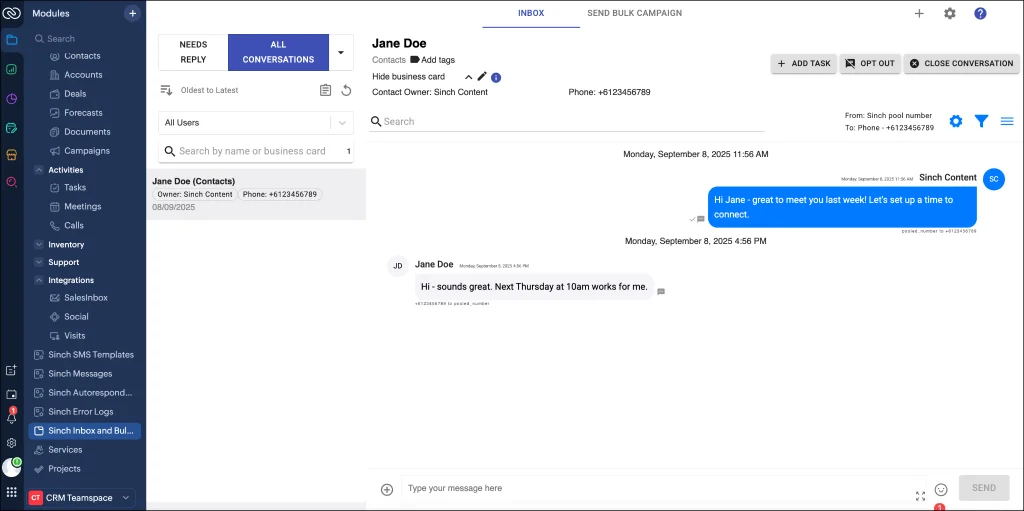
Sinch Engage, formerly MessageMedia, is a mass texting platform from Sinch. Teams upload recipient lists to the portal and choose a sender type: a free test number, a dedicated number, a local 10DLC number, a rotating number pool, a toll-free number, or an alpha tag with the business name.
Messages can be sent from the self-serve portal, mobile app, API, or integrations with HubSpot, Salesforce, Zoho CRM, NetSuite, and Zapier. The platform sends up to a million texts at once through its gateway and offers a 14-day free trial.
Key features include:
- Bulk sending and scheduling: Writes one message and sends it individually to every contact. Messages can be prescheduled or set on a recurring schedule.
- Segmentation and personalization: Splits lists into segments for targeted sends. Messages can be personalized with built-in contact fields such as name, country, or birthday.
- Automation and drip campaigns: Automates reminders, order confirmations, surveys, and replies to common questions. Drip campaigns can be built and measured without technical skills.
- AI Assist and templates: Drafts messages with an AI writing tool and reusable templates, with real-time previews before sending.
- Shared inbox: Routes replies to an inbox the whole team can access, so mass texts can turn into one-to-one conversations.
- Landing pages and link tracking: Sends contacts to personalized landing pages and tracks clicks.
- Reporting: Tracks delivery, click-through rates, opt-outs, and engagement from one dashboard.
- Compliance and sender identity: Manages opt-ins and opt-outs, supports 2FA, and offers 10DLC numbers, alpha tags, and RCS verification for branded messages.
Limitations (as reported by users on G2):
- Campaign setup flow: Some users find that the steps for creating and sending messages could be simpler and clearer.
- Account migration: Customers moved over from acquired messaging providers report a less satisfying experience after the switch.
- Integration and account management: Some reviewers note issues with integrations and with account management.
Source: Sinch
5. SimpleTexting

Best for: US and Canadian SMBs that want a simple mass texting interface
Strengths: All features on all plans, mobile apps, and free incoming SMS
Things to consider: Setup and number registration can take time for some users
SimpleTexting is a mass texting service for businesses in the U.S. and Canada, operating since 2010. Teams import a spreadsheet of opt-in numbers or connect existing software. They can then send texts right away, schedule them, set them to recur, or trigger them automatically from integration events.
Businesses can text from a local number or a short code, or text-enable an existing business landline. Every plan includes all features, unlimited contacts and keywords, and free incoming SMS. Replies land in an inbox for one-to-one follow-up.
Key features include:
- Audience growth tools: Collects subscribers through text-to-join keywords, website opt-in forms, and in-store or event signups. Existing contacts can be imported from a spreadsheet.
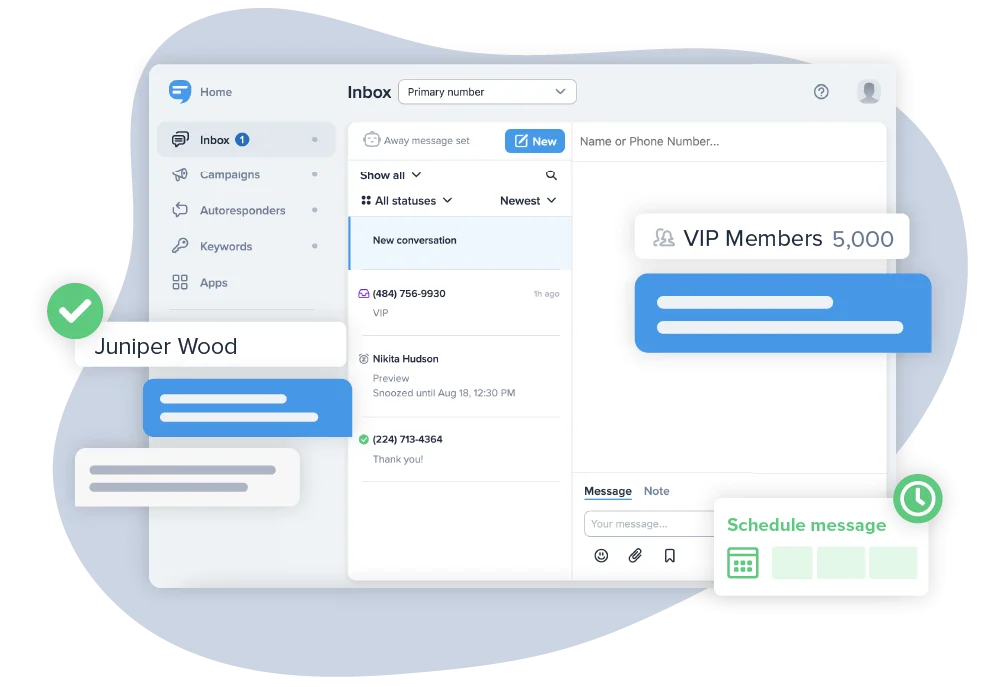
- Flexible sending options: Sends mass texts immediately, on a schedule, on a recurring basis, or when contacts take actions in integrated software. Mass BCC texts send the same message to recipients separately.
- MMS and personalization: Adds photos, GIFs, and audio clips, with up to 1,600 characters per MMS. Merge fields insert names, and a data collection feature gathers emails, birthdays, and other details by text.
- Segmentation: Sends texts to specific contact groups based on segmentation rules.
- Two-way inbox and autoresponders: Delivers replies privately to the sender’s inbox. Automatic replies handle common questions and out-of-office responses.
- API and integrations: Connects other tools through a bulk SMS API or Zapier.
- AI Assist and analytics: Drafts campaigns with AI Assist. Analytics charts show contact growth and message performance.
- Mobile apps: Sends and schedules mass texts from iOS and Android apps.
Limitations (as reported by users on G2):
- Mobile alerts: Some users report that push notifications from the app are unreliable.
- Onboarding time: Account setup took a couple of weeks for some users, longer than they expected.
- Session management: Changing a password does not log out existing sessions, which complicates shared-account security.
- Reporting exports: Some users would like more direct reporting integrations instead of downloading CSV files.
Source: SimpleTexting

6. EZ Texting

Best for: Small teams sending promotions, alerts, and reminders by group
Strengths: Groups, recurring schedules, AI Compose, and SafeSTOP opt-out
Things to consider: Credit-based pricing can be hard to predict for irregular use
EZ Texting is a business texting platform used by more than 230,000 customers. Teams upload contacts by CSV or sync them from HubSpot or Mailchimp, sort them into groups, and send one message to a whole list or a single group. EZ Texting guides users through 10DLC registration with The Campaign Registry.
Messages are billed in credits: an SMS of up to 160 characters uses 1 credit, and an MMS of up to 1,600 characters uses up to 3. Each message can go out right away, on a schedule, or on a recurring basis. A 14-day free trial is available.
Key features include:
- Contact management and segmentation: Imports contacts with a CSV template or syncs them from HubSpot and Mailchimp. Contacts can be segmented by interest, past purchase, or location.
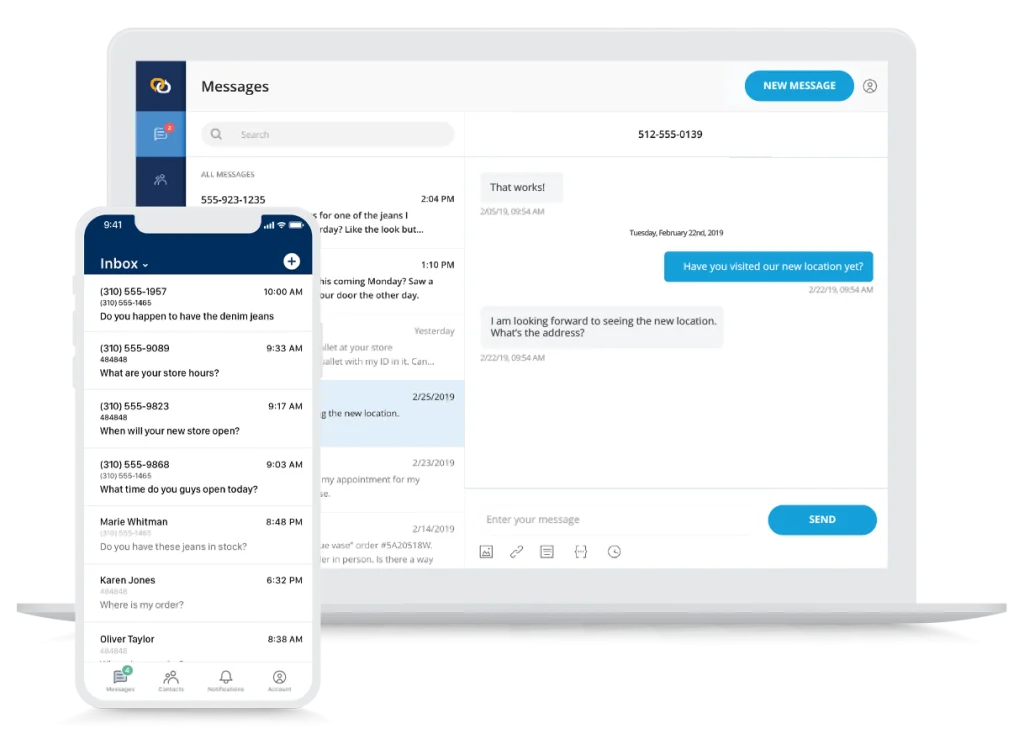
- Scheduling and Campaign Calendar: Schedules mass texts for any day and time, or repeats them daily, weekly, or monthly. The Campaign Calendar shows all scheduled messages in a monthly view.
- Personalization: Inserts contact details such as first name into messages. Contact-specific automated texts, like birthday offers, can be sent based on contact data.
- MMS messaging: Attaches photos, coupons, or GIFs to promotional texts.
- Shared inbox: Collects replies in one inbox so the team can respond from one place.
- SafeSTOP opt-out handling: Removes contacts who reply STOP from future messages automatically.
- AI Compose: Drafts messages and adjusts tone and length. It can also translate between six languages.
- Workflows: Automates after-hours replies, event reminders, feedback requests, and abandoned cart messages.
- Reporting: Shows delivery rate, failed deliveries, click-through rate, and opt-out rate for each message.
Limitations (as reported by users on G2):
- Credit costs: Users find the credit system hard to understand and costly for high-volume or irregular sending, and note that MMS uses additional credits.
- Mobile app limitations: Mass texts generally need to be sent from a web browser, since the app focuses on managing individual conversations.
- Inbox organization: All replies go to a single inbox, which makes it harder to separate responses by office or match them to a specific campaign.
- Send timing and reporting: Some users report occasional sending delays on high-volume days and want more detailed analytics.
Source: EZ Texting

7. Textmagic

Best for: Businesses that need two-way SMS and email in one platform
Strengths: Unified inbox, flow builder, bring your own CPaaS, and SOC 2
Things to consider: Incoming message costs and price changes reported by users
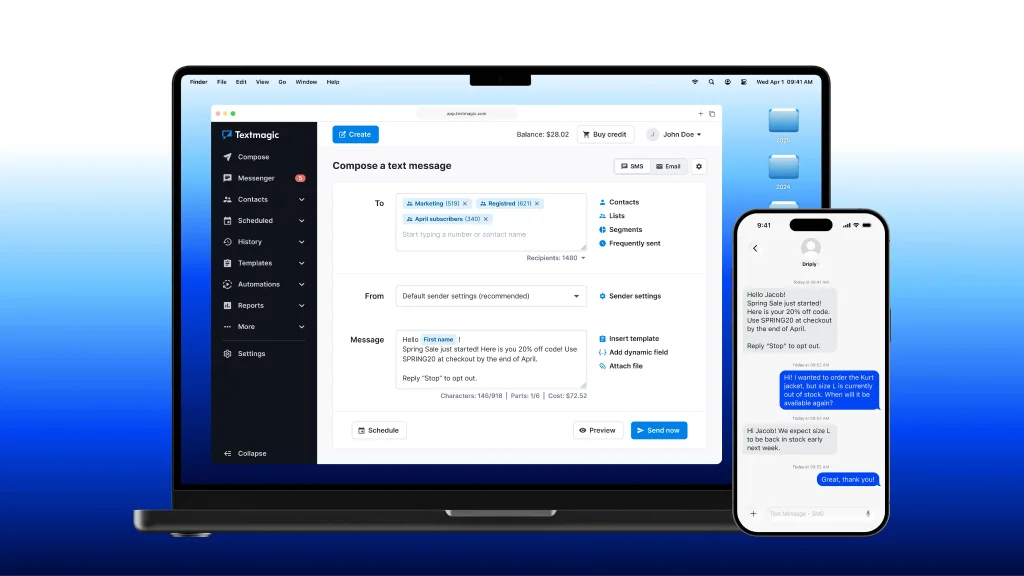
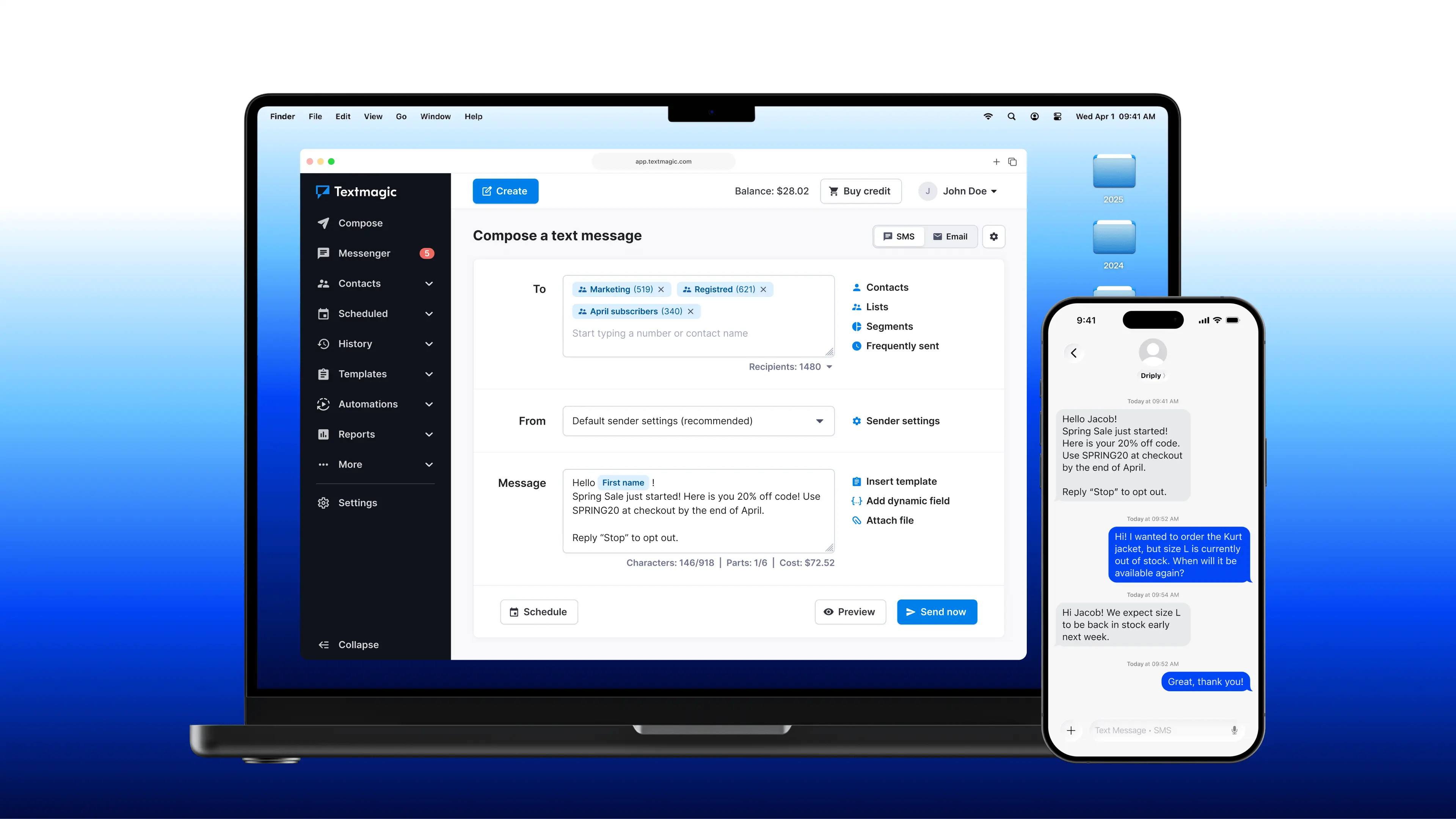
Textmagic is a business texting platform for alerts, reminders, notifications, and marketing campaigns. Teams import contacts from CSV or Excel files into unlimited lists, personalize messages with dynamic fields, and send immediately or on a schedule.
Textmagic helps with 10DLC and toll-free registration and supports local numbers and sender IDs in markets such as Australia and the UK. Replies from SMS, live chat, and social channels arrive in one shared inbox. The platform is SOC 2 Type II certified and GDPR compliant.
Key features include:
- Mass texting and contact management: Stores unlimited contacts at no extra cost. Contacts can be grouped into lists and imported from CSV and Excel files.
- Dynamic fields: Personalizes each message with mail-merge fields drawn from recipient data.
- Scheduled texts and automation flows: Schedules one-time or recurring texts. A flow builder creates drip campaigns and message sequences.
- MMS and attachments: Sends images and file attachments alongside text messages.
- Subscriber forms and opt-out management: Grows lists with embeddable subscribe forms and handles opt-outs automatically.
- Shared inbox and auto-responders: Combines SMS, live chat, and social channels in one team inbox, with auto-responders for incoming messages.
- API, Zapier, and bring your own CPaaS: Connects to 1,000+ apps through Zapier and APIs. Businesses can also connect their own CPaaS provider.
- Reporting and analytics: Tracks delivery and reply rates and provides cost statements for each campaign.
Limitations (as reported by users on G2):
- Price changes: Some long-term customers report significant price increases over time.
- Incoming message costs: Incoming messages and calls can add noticeable cost.
- Reply controls: Some users would like an option to turn off replies for one-way broadcasts.
- Desktop app compatibility: The desktop app does not run on some older Mac computers.
Source: Textmagic
8. SlickText

Best for: SMBs growing opt-in lists for SMS marketing campaigns
Strengths: Five list growth tools, dynamic segments, and site tracking
Things to consider: MMS uses 3 credits; costs rise as contact lists grow
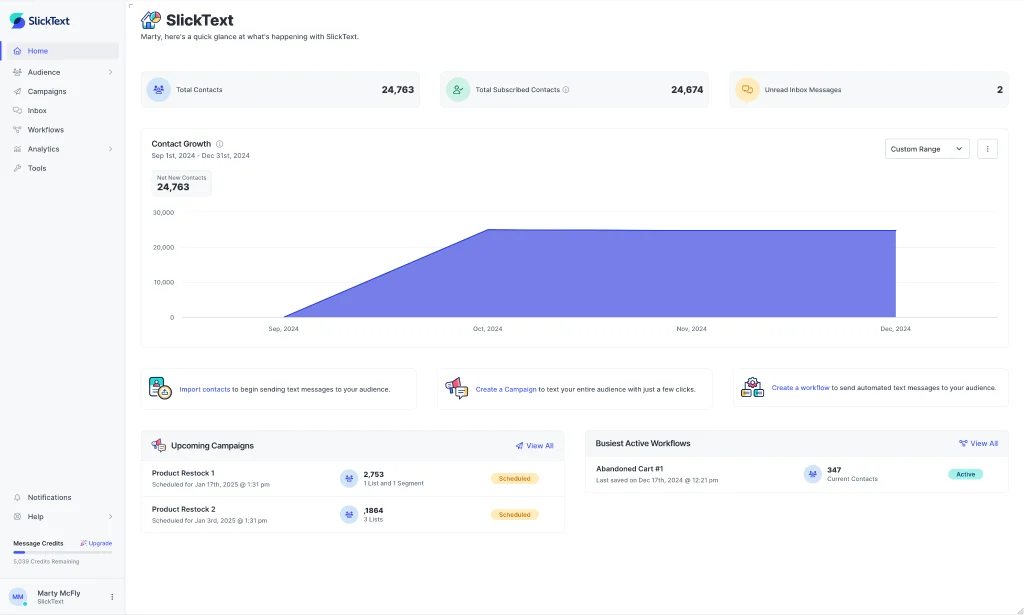
SlickText is an SMS marketing platform that has powered over 124,000 text message programs since 2011. Every plan includes all features, unlimited users and contacts, and free incoming messages. Paid plans start at $29 per month for 500 credits, and unused credits roll over.
Each account gets a free toll-free number that sends 25 to 100+ messages per second. Businesses can add a 10DLC number, a short code, or RCS messaging. SlickText has 17+ native integrations including HubSpot, Salesforce, and Shopify, plus Zapier and Make.
Key features include:
- Targeted campaigns: Sends mass texts to dynamic segments built on customer data and behavior. Messages can include first names, images, video, GIFs, PDFs, mp3 files, or a contact card.
- List growth tools: Collects subscribers through website popups, web forms, text-to-join keywords, QR codes, and tap-to-join links, with compliance statements built in.
- Workflows: Automates messages with behavioral triggers, conditions, delays, and branching. Templates cover welcome series, abandoned carts, review requests, and birthdays.
- Link and site tracking: Adds trackable links to campaigns. Site tracking records page views, product views, and abandoned sessions after the click, and UTM parameters pass data to web analytics.
- Shared inbox: Routes replies to an inbox with auto-assignment, tags, internal notes, contact history, and auto-replies for FAQs and after-hours messages.
- Bad Number Deletion: Removes contacts after 3 consecutive delivery failures within 180 days, with adjustable settings.
- Compliance safeguards: Records consent at signup, processes STOP requests instantly, and blocks re-adding unsubscribed contacts. Opt-Out Intelligence detects unsubscribe intent in non-standard replies.
- Sender number options: Offers toll-free, 10DLC, short code, and RCS senders with different speeds, costs, and setup times.
Limitations (as reported by users on G2):
- Costs for larger lists: Costs grow as contact lists expand, and sending files, images, and GIFs uses additional credits.
- Advanced automation flexibility: Multi-step workflows can feel less flexible for complex automation needs.
- Audience controls: Some users want more control over audiences, including easier ways to move subscribers between keywords.
- Failure notifications: Users are not notified immediately when texts fail to send because of character limits.
Source: SlickText

How to Choose the Right Mass Texting Platform for Your Business
Choosing the right mass texting platform requires evaluating your messaging needs, target audience, budget, and technical requirements. The platform should support your current communication volume while providing the automation, compliance, and integration capabilities needed as your business grows.
Key considerations include:
- Messaging volume and scalability: Evaluate how many messages the platform can send, its throughput limits, and whether it can handle large campaigns without delays. Businesses with growing audiences should look for scalable infrastructure that supports increasing message volumes.
- SMS and MMS support: Check whether the platform supports both standard text messages and multimedia content, such as images, videos, and GIFs. MMS can be useful for promotional campaigns that require visual content, although availability varies by country and carrier.
- Two-way messaging capabilities: Choose a platform that allows customers to respond to messages and interact with your business. Features such as shared inboxes, automated replies, and conversation history can help customer service and sales teams manage inquiries.
- Audience segmentation and personalization: Look for tools that let you organize contacts based on demographics, purchase history, behavior, or other attributes. Personalization features should support dynamic fields, allowing businesses to tailor messages without manually creating separate campaigns.
- Campaign automation and scheduling: Evaluate the platform’s ability to schedule messages, create automated workflows, and trigger texts based on customer actions. Common workflows include appointment reminders, abandoned cart notifications, and post-purchase follow-ups.
- Compliance and sender registration: Ensure the provider supports applicable regulations and carrier requirements, including TCPA compliance, opt-in and opt-out management, A2P 10DLC registration, and toll-free number verification. The platform should also maintain consent records and automatically process unsubscribe requests.
- Deliverability and carrier connectivity: Consider the provider’s carrier relationships, message routing infrastructure, and delivery reporting capabilities. Look for delivery status tracking, error reporting, and tools for identifying failed or filtered messages.
- Integrations and API access: Check whether the platform integrates with your existing CRM, marketing automation software, eCommerce platform, and customer support tools. Businesses with custom requirements should evaluate API documentation, SDK availability, webhooks, and developer support.
- Reporting and analytics: Choose a platform that tracks campaign performance through metrics such as delivery rates, response rates, opt-out rates, and conversions. Built-in dashboards and reporting tools can help teams identify effective campaigns and improve messaging strategies.
- International coverage: Businesses communicating with customers across multiple countries should verify geographic coverage, supported sender types, local regulatory requirements, and multilingual messaging capabilities. International SMS rates and delivery restrictions can vary significantly between markets.
- Pricing and total cost: Compare per-message rates, subscription fees, number rental charges, registration costs, and potential carrier surcharges. Consider whether the provider offers volume discounts, transparent billing, and flexible pricing that matches your messaging patterns.
- Customer support and reliability: Assess the provider’s uptime commitments, technical support availability, documentation, and incident response processes. Businesses that depend on text messaging for critical notifications should prioritize reliable infrastructure and responsive support.
The Future of Business Messaging
As businesses continue to embrace real-time communication, mass text messaging is becoming a central part of customer engagement strategies. With high open rates, easy personalization, and strong ROI, SMS remains unmatched in its ability to connect brands and audiences instantly.
Platforms like MessageWhiz demonstrate how the channel is evolving beyond traditional bulk texts toward intelligent, multi-channel engagement. For small businesses looking to communicate more effectively, mass text messaging represents both a practical tool and a strategic advantage.