









TL;DR: Call center solutions manage inbound and outbound customer calls and can run on premises, as hosted systems, or in the cloud. MMDSmart Call Center Connect fits high-volume global voice teams, Amazon Connect Customer fits AWS-centric operations, Avaya Infinity fits on-premise and hybrid needs, and Convoso fits outbound sales.
What Are Call Center Solutions?
Call center solutions are centralized software platforms, cloud services, and hardware tools that businesses use to manage high volumes of incoming and outgoing phone and digital customer interactions. These solutions centralize and automate inbound and outbound communication channels, allowing organizations to handle large volumes of customer interactions efficiently.
These solutions are not just about routing calls; they encompass workforce management, analytics, reporting, CRM integration, and agent assistance tools. The primary goals are to maximize first-contact resolution, minimize wait times, improve agent productivity, and elevate overall customer satisfaction. The right call center solution aligns with an organization’s requirements, ensuring scalability, security, and compliance, regardless of size or industry.
Types of call center solutions:
- On-premise call center solutions: Run on infrastructure owned and managed by the organization, providing direct control over security, customization, and integrations but requiring greater maintenance and upfront investment.
- Cloud-based call center solutions: Deliver call center capabilities over the internet, enabling rapid deployment, flexible scaling, automatic updates, and remote access without maintaining on-site infrastructure.
- Hosted call center solutions: Use infrastructure managed by a third-party provider, often with dedicated configurations and integration options that reduce internal maintenance requirements.
- Virtual / remote call center solutions: Support distributed agents through cloud platforms and softphones, allowing employees to handle customer interactions securely from different locations.
- Inbound call center solutions: Manage incoming customer inquiries and support requests using automatic call distribution, interactive voice response, and skills-based routing.
- Outbound call center solutions: Support sales, lead generation, surveys, collections, and follow-ups through predictive dialing, campaign management, and CRM integration.
Key features of these solutions include:
- Omnichannel support: Unifies voice, email, SMS, webchat, and social media interactions in one interface while preserving customer conversation history.
- VoIP: Transmits voice calls over the internet, supporting flexible phone number management, call recording, and remote agent connectivity.
- Automatic call distribution (ACD): Routes incoming calls to appropriate agents based on skills, customer priority, availability, and queue conditions.
- Interactive voice response (IVR): Automates caller interactions through voice or keypad menus, enabling self-service and routing customers to the appropriate departments.
- AI and automation: Uses sentiment analysis, predictive dialing, and intelligent call routing to improve agent productivity, identify customer frustration, and automate repetitive tasks.
- Analytics: Tracks call volumes, average handling time, first-contact resolution, abandonment rates, and agent performance through real-time dashboards and reports.
- CRM integration: Connects customer records, interaction histories, and support tickets with call center workflows to reduce manual entry and provide agents with relevant context.
Call Center Solutions at a Glance
The table below summarizes the key differences between the call center solutions covered in this guide. We explore each solution in more detail in the sections that follow.
| Category | Solution | Call Center Types | Best For | Key Strengths | Things to Consider |
| Carrier and Communications Platform-Based | MMDSmart Call Center Connect | Cloud-based, virtual/remote, inbound, outbound | BPOs and global teams running high-volume voice | Direct carrier routing, live supervision, voice KPIs | AI sentiment and transcription are optional |
| Carrier and Communications Platform-Based | Twilio Flex | Cloud-based, virtual/remote, inbound, outbound | Teams with developers wanting a programmable contact center | Composable architecture, CRM embedding | Changes often need engineering support |
| Carrier and Communications Platform-Based | Amazon Connect Customer | Cloud-based, virtual/remote, inbound, outbound | AWS-centric organizations | Agentic self-service, global telephony, WFM | Complex integrations, hard-to-predict costs |
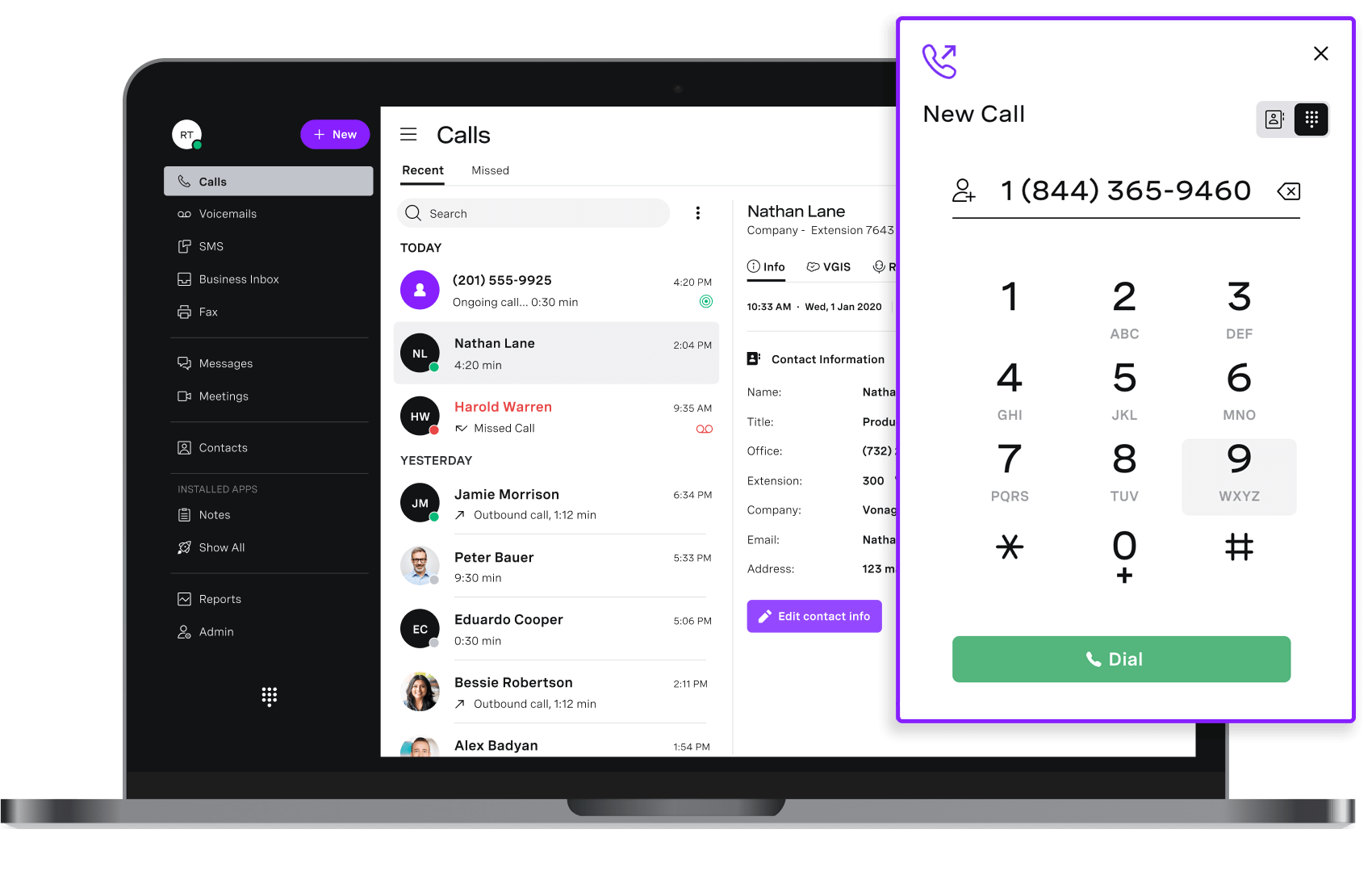
| Carrier and Communications Platform-Based | Vonage Contact Center | Cloud-based, virtual/remote, inbound, outbound | Salesforce and ServiceNow users | CRM-embedded calling, AI virtual assistant | Dated interface, setup learning curve |
| Enterprise Contact Center Platforms | NiCE CXone | Cloud-based, virtual/remote, inbound, outbound | Large enterprises on one CX platform | Advanced ACD, WEM, app marketplace | Complex to learn, some dropped calls |
| Enterprise Contact Center Platforms | Genesys Cloud CX | Cloud-based, virtual/remote, inbound, outbound | Enterprises orchestrating AI and human agents | Broad channels, AI agents, AppFoundry | Higher cost, lengthy implementation |
| Enterprise Contact Center Platforms | Five9 | Cloud-based, virtual/remote, inbound, outbound | Enterprises combining AI and human agents | AI self-service, agent assist, WFO | Advanced changes need professional services |
| Enterprise Contact Center Platforms | Talkdesk | Cloud-based, virtual/remote, inbound, outbound | Enterprises wanting industry-specific clouds | Industry clouds, AppConnect, certifications | Steep learning curve, app glitches |
| Enterprise Contact Center Platforms | Zendesk Contact Center | Cloud-based, virtual/remote, inbound | Support teams already on Zendesk | Voice in ticket workspace, voice AI agents | Advanced features in higher tiers |
| Enterprise Contact Center Platforms | Microsoft Dynamics 365 Contact Center | Cloud-based, inbound, outbound | Microsoft-centric organizations | Copilot, AI service agents, Teams Phone | Depends on Azure or Teams telephony |
| On-Premise and Hybrid | Avaya Infinity | On-premise, cloud-based, inbound, outbound | Enterprises modernizing Avaya in phases | One code base for cloud, hybrid, on-prem | Complex deployment, authentication errors |
| On-Premise and Hybrid | Cisco Webex Contact Center | On-premise, hosted, cloud-based, inbound, outbound | Cisco customers moving to cloud at their pace | Mixed deployment in one Flex Plan | Disjointed features, limited customization |
| On-Premise and Hybrid | Mitel CX | On-premise, hosted, cloud-based, inbound, outbound | Organizations needing on-prem or private cloud | Omnichannel, AI virtual agents, WFO | AI, outbound, and WFM are add-ons |
| On-Premise and Hybrid | 3CX | On-premise, hosted, virtual/remote, inbound | Companies wanting a self-managed PBX | Per-system pricing, flexible deployment | Less intuitive v20 interface |
| Unified Communications-Based | RingCentral RingCX | Cloud-based, virtual/remote, inbound, outbound | RingCentral phone customers | 20+ digital channels, AI assist, 250+ reports | Difficult setup, variable call quality |
| Unified Communications-Based | Nextiva Contact Center | Cloud-based, virtual/remote, inbound, outbound | SMB and mid-market teams | Omnichannel inbox, no-code workflows | Tedious admin and cross-system reporting |
| Unified Communications-Based | Dialpad Support | Cloud-based, virtual/remote, inbound, outbound | Inbound support teams | AI Live Coach, AI CSAT, WFM | App crashes, AI transcription errors |
| Unified Communications-Based | 8×8 Contact Center | Cloud-based, virtual/remote, inbound, outbound | Organizations unifying UCaaS, CCaaS, CPaaS | Unified interaction data, AI Studio | Limited admin tools and exports |
| Unified Communications-Based | Zoom Contact Center | Cloud-based, virtual/remote, inbound, outbound | Zoom Workplace customers | Native Zoom app, AI Expert Assist | Peak-time lag, limited Zoom Phone link |
| SMB and Sales-Focused | Aircall | Cloud-based, virtual/remote, inbound, outbound | Small and mid-size sales and support teams | Fast setup, 250+ integrations | Call quality depends on internet |
| SMB and Sales-Focused | CloudTalk | Cloud-based, virtual/remote, inbound, outbound | SMB teams calling across many countries | 160+ countries, dialers, AI voice agents | Many features cost extra |
| SMB and Sales-Focused | Convoso | Cloud-based, inbound, outbound | High-volume outbound sales teams | Predictive dialing, number reputation | Overwhelming for new users |
This is part of an extensive series of guides about managed services.
Types of Call Center Solutions
On-Premise Call Center Solutions
On-premise call center solutions are installed and managed within an organization’s own IT infrastructure and physical location. These systems are maintained by in-house technical teams and typically require upfront investment in hardware, licenses, and networking components. On-premise solutions offer high customizability and direct control over data security, compliance, and integration with other business systems.
However, on-premise solutions often come with higher maintenance overhead, longer deployment times, and reduced scalability compared to cloud-based alternatives. They may be best suited for large organizations with specific regulatory requirements or highly sensitive data environments. Migration or updates can be complex, and remote or distributed workforce support may require additional configuration or VPN setups.
Cloud-Based Call Center Solutions
Cloud-based call center solutions are hosted on external servers and delivered via the internet, eliminating the need for costly on-site hardware and infrastructure. Deployment is typically fast, with organizations able to scale their workforce up or down as needed, and remote agents can access the platform from anywhere. These solutions offer high levels of redundancy, uptime, and automatic software updates managed by the vendor.
Cloud call centers enable integration of emerging technologies like AI, analytics, and omnichannel support. They support rapid innovation, easier management, and lower total cost of ownership. Security and compliance are handled through robust cloud protocols, making them suitable options for most industries, but organizations with very tight data sovereignty requirements may still prefer on-premise systems.
Organizations evaluating cloud communication infrastructure should also explore CCaaS as a framework for delivering contact center capabilities as a managed, scalable service.
For a detailed breakdown of what to look for, see our guide to cloud contact center software and the key features that matter most.
Hosted Call Center Solutions
Hosted call center solutions represent a mix between on-premise and cloud approaches. In this setup, the core infrastructure is hosted and managed offsite by a third-party provider but may be customized and dedicated to a specific organization. The customer typically pays a service fee for access, while benefiting from reduced hardware maintenance and external expert support.
Hosted solutions provide flexibility and scalability similar to cloud-based solutions, but with greater opportunities for customization and integration with legacy systems. Businesses that need a personalized but hands-off infrastructure solution may favor hosted call centers. However, uptime, feature updates, and redundancy will depend on the capabilities and support level of the hosting provider.
Virtual / Remote Call Center Solutions
Virtual or remote call centers are designed for distributed workforces where agents operate from varied locations, often home offices, rather than a central facility. These solutions leverage cloud technologies and softphone systems, ensuring secure access to all call center tools and customer data regardless of location. Remote call centers offer flexibility in staffing and can adapt easily to surges or drops in call volume.
The shift to virtual call centers accelerates hiring from wider talent pools and supports business continuity in the event of disruptions to physical office locations. Security, data privacy, and remote agent management become higher priorities in virtual setups, so robust communication, monitoring, and performance analytics tools are essential. Virtual models are now standard for many modern organizations, helping optimize costs and employee satisfaction.
Inbound Call Center Solutions
Inbound call center solutions focus primarily on handling incoming customer service calls, queries, support requests, and order inquiries. Their core components include automatic call distribution, interactive voice response, and skills-based routing to ensure callers are quickly connected to the best-qualified agent. These solutions are critical for businesses prioritizing responsive support and high first-contact resolution rates.
Enhanced inbound call centers may integrate voice analytics, self-service IVR menus, and CRM systems for streamlined, personalized experiences. Key performance metrics include average wait time, abandonment rate, and customer satisfaction scores. Inbound call centers are essential in industries like finance, healthcare, and retail, where reliable customer support directly impacts brand reputation.
Outbound Call Center Solutions
Outbound call center solutions are built to handle outgoing calls for sales, lead generation, surveys, collections, or follow-ups. They employ features like predictive dialing, call scripting, and campaign management to increase agent productivity and optimize connection rates. Outbound solutions help companies efficiently reach large audiences with targeted messages and support proactive customer engagement strategies.
Compliance with regulations (such as TCPA or GDPR) and opt-out management is critical in outbound environments. These solutions often integrate with CRM and analytics platforms to monitor campaign performance, track sales metrics, and adjust strategies in real time. Outbound call centers are common in telemarketing, political outreach, and proactive customer retention applications.
Benefits of Call Center Solutions
Call center solutions help businesses improve customer service, streamline communication workflows, and increase operational efficiency. By centralizing customer interactions and automating routine processes, these platforms enable support and sales teams to handle higher call volumes while maintaining consistent service quality. Modern call center solutions also provide analytics, workforce management, and integration capabilities that support better decision-making and long-term scalability.
Key benefits of call center solutions include:
- Improved productivity: Automated call distribution, predictive dialers, AI-powered agent assistance, and CRM integrations reduce repetitive tasks, allowing agents to focus on resolving customer issues and handling complex inquiries.
- Reduced operational costs: Cloud-based infrastructure, automated workflows, and self-service options can reduce hardware expenses, minimize administrative overhead, and lower the cost per customer interaction.
- Better call management: Features such as automatic call distribution (ACD), call queuing, intelligent routing, and callback scheduling help organizations manage high call volumes and distribute workloads efficiently.
- Enhanced visibility and performance monitoring: Real-time dashboards, call recordings, and reporting tools provide insights into key performance indicators (KPIs), including average handling time, abandonment rates, first-contact resolution, and customer satisfaction scores.
- Improved workforce management: Workforce forecasting, agent scheduling, and performance monitoring help businesses align staffing levels with anticipated call volumes, reducing idle time and preventing agent overload.
- Greater scalability and flexibility: Cloud-based call center solutions allow organizations to add agents, expand operations, and accommodate seasonal demand without significant investments in physical infrastructure.
- Stronger security and compliance: Role-based access controls, encryption, audit logs, and configurable data retention policies help protect sensitive customer information and support compliance with applicable regulations.
- Seamless integration with business systems: Integration with CRM platforms, help desk software, and enterprise applications gives agents access to relevant customer information, improving service continuity and reducing manual data entry.
- Support for remote and distributed teams: Cloud-based platforms enable agents to securely access call center tools from different locations, supporting remote work, distributed customer service teams, and business continuity.
Key Features and Technologies Provided by Call Center Solutions
Omnichannel Support
Omnichannel support allows call centers to interact with customers via their preferred communication channels, including voice calls, email, SMS, webchat, and social media platforms. A true omnichannel solution integrates these various channels into a unified agent interface, so agents can transition between conversations or channels without losing context or history. This results in a smoother customer experience and more informed agent responses.
Many organizations build these omnichannel capabilities on top of infrastructure provided by CPaaS providers, which offer the APIs and connectivity needed to unify voice, SMS, and digital channels in one place.
Organizations looking to extend these capabilities beyond voice can explore business text messaging software to understand how SMS and messaging channels integrate within a broader omnichannel contact center setup.
VoIP
Voice over internet protocol (VoIP) technology allows call centers to transmit voice calls over the internet, removing the need for traditional handset-based phone lines or expensive telecom infrastructure. VoIP-driven call center solutions are typically more cost-effective, scalable, and flexible compared to legacy phone systems. They support a distributed workforce by allowing remote agents to connect from anywhere with an internet connection.
Additionally, VoIP solutions offer features such as call recording, dynamic caller ID, and flexible phone number management. These features simplify compliance, training, and quality assurance processes, while supporting rapid scaling of call center operations as needed. VoIP enables organizations to integrate voice communications with other digital channels, paving the way for broader digital transformation initiatives.
Automatic Call Distribution (ACD)
Automatic call distribution (ACD) systems ensure inbound calls are routed to the most appropriate agent or department based on pre-defined rules, such as agent skillset, customer priority, or current call queue lengths. By automating call distribution, ACD optimizes both agent utilization and customer wait times. This leads to faster resolutions, more personalized service, and greater overall efficiency.
ACD technologies can integrate with CRM systems, IVR menus, and workforce management tools to route calls based on customer data or previous interaction history. With these integrations, customers receive service from agents best suited to handle their needs, increasing satisfaction and reducing call transfers or escalations. Modern ACD systems provide granular insights and reporting capabilities, allowing for ongoing optimization of routing strategies.
Interactive Voice Response (IVR)
Interactive voice response (IVR) systems automate initial caller interactions by prompting callers to select menu options or provide information using voice or keypad inputs. IVR streamlines call flows, enabling self-service for common inquiries such as account balances, order statuses, or password resets without requiring agent intervention. This reduces agent workload and shortens customer wait times.
Modern IVR systems can be integrated with backend systems for personalized responses and support, such as authenticating customers using caller ID or account details, and routing calls to specialized agents when needed. They may also incorporate speech recognition technology for natural language interactions, further improving accessibility and customer experience. Well-designed IVR flows help balance automation efficiency with the option to escalate to live agents.
AI and Automation
AI-driven sentiment analysis enables real-time evaluation of customer emotions during interactions. If the system detects signs of frustration, confusion, or dissatisfaction, it can automatically alert supervisors or escalate the case. This proactive approach allows managers to intervene early, reducing customer churn and supporting agent coaching. Sentiment tracking also helps identify patterns in customer behavior, leading to improvements in scripts, workflows, and product offerings.
Automation capabilities such as predictive dialers and smart inbound call routing enhance both outbound and inbound operations. Auto-dialers optimize agent time by automatically calling a list of leads and only connecting answered calls to agents. Smart routing leverages AI to match callers with the most appropriate agents based on interaction history, sentiment, or issue complexity. These features increase call throughput, reduce idle time, and elevate overall service quality.
For organizations evaluating specific tools, our guide to AI call center software covers the key capabilities and leading solutions available today
Analytics
Analytics platforms in call center solutions offer deep insights into call volumes, agent performance, customer satisfaction, and operational efficiency. These systems collect and analyze data on key metrics such as first call resolution rates, average handle time, abandonment rates, and customer feedback scores. Supervisors and managers can use this data to identify trends, track agent productivity, and optimize workforce scheduling.
Real-time dashboards and historical reports help organizations make informed decisions, set performance targets, and quickly diagnose issues such as unusually high call volumes or agent bottlenecks. Advanced analytics might include sentiment analysis, speech analytics, or predictive modeling, enabling continuous improvement of processes and enhanced customer experience strategies.
CRM Integration
Customer relationship management (CRM) integration ensures agents have access to relevant customer data, interaction history, and account details directly within the call center platform. This reduces duplication, limits the need to switch between systems, and provides critical context for every interaction. Integrated CRMs help agents personalize service, resolve issues faster, and track case progress more efficiently.
CRM-connected call center solutions enable automated logging of customer interactions, streamlined ticketing, and real-time data syncing between support, sales, and marketing departments. This alignment drives better collaboration, more consistent communications, and actionable insights from a unified data source, ultimately contributing to a more h
Businesses looking to go further with automation can explore how a smart call center approach combines AI, routing intelligence, and self-service to deliver a more efficient customer experience.
Notable Call Center Solutions
How we selected these solutions: We shortlisted call center solutions based on their deployment options, call routing and IVR, inbound and outbound calling, omnichannel engagement, AI and analytics, and integration capabilities.
Carrier and Communications Platform-Based Call Center Solutions
1. Call Center Connect by MMDSmart

Call center types offered: Cloud-based, virtual/remote, inbound, and outbound
Best for: BPOs and global teams running high-volume inbound and outbound voice
Strengths: Direct carrier routing, live supervision, and voice KPI analytics
Things to consider: AI sentiment and transcription are optional features
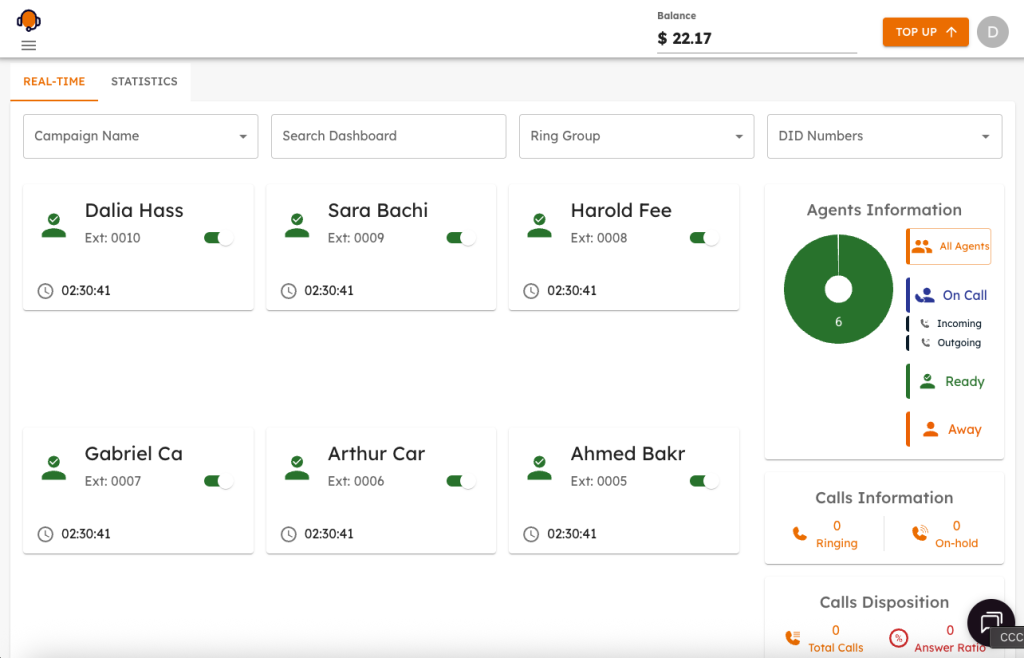
MMDSmart Call Center Connect is a cloud-based call center solution for businesses, BPOs, and global teams that run high-volume inbound and outbound voice operations. MMDSmart operates as a telecom transit operator, so it controls call routing end to end instead of relying on resold carrier routes.
Agents work in a web-based workspace with a built-in WebRTC dialer, or connect through SIP phones and SIP trunks, with no hardware or on-premises setup. Teams can launch a virtual call center in minutes, run outbound campaigns and inbound support from one platform, and pay based on usage.
Key features include:
- Carrier-grade international routing: Calls are routed directly over MMDSmart’s own transit operations rather than through resold routes, with routing optimized for international calling at scale.
- Inbound and outbound calling: Supports automatic and manual dialing, IVR flows, robo-calls, voicemail drop, and blended calling. Inbound calls are routed through DID numbers and ring groups based on defined rules and real-time agent availability.
- Real-time supervision: Supervisors can monitor live calls and step in using spy, whisper, or barge-in modes. Role-based access gives admins, supervisors, and agents separate permission levels.
- Voice analytics: Real-time dashboards and historical reports track answer-seizure ratio (ASR), average call duration (ACD), total call volume, and disconnect reasons, with drill-down by agent, campaign, country, ring group, or call type.
- AI sentiment and transcription: Optional AI features monitor call sentiment in real time and produce post-call transcripts with sentiment context for coaching and quality assurance.
- CRM integration and call records: Displays on-screen lead details when linked to a CRM, and keeps call history, recordings, and detailed call logs for reporting and quality assurance.
- Voice and messaging journeys: Combines live calls with follow-ups over SMS, RCS, WhatsApp, Viber, Telegram, and email, and can trigger real-time calls based on user behavior, transactions, or system events.
- Numbers and SIP connectivity: Provides local, national, and toll-free numbers in 190+ countries with regulatory and KYC guidance, plus hosted SIP trunking with 99.999% uptime for teams that keep an existing dialer or PBX.
- 24/7 support: Customers get direct 24/7 support from dedicated account managers through Telegram or Microsoft Teams.
Limitations (based on publicly available sources):
- AI features are optional: Real-time sentiment monitoring and post-call transcription are offered as optional features, so teams that need them should confirm they are included in their setup.
- Messaging runs through MessageWhiz: Hybrid voice and messaging journeys rely on the integrated MessageWhiz platform for channels such as SMS and WhatsApp.
- Voice-first scope: The product focuses on voice operations and does not list built-in workforce management tools such as forecasting and scheduling.
2. Twilio Flex

Call center types offered: Cloud-based, virtual/remote, inbound, and outbound
Best for: Teams with developers that want a programmable contact center
Strengths: Composable architecture, CRM embedding, and usage-based pricing
Things to consider: Customization and changes often require engineering support
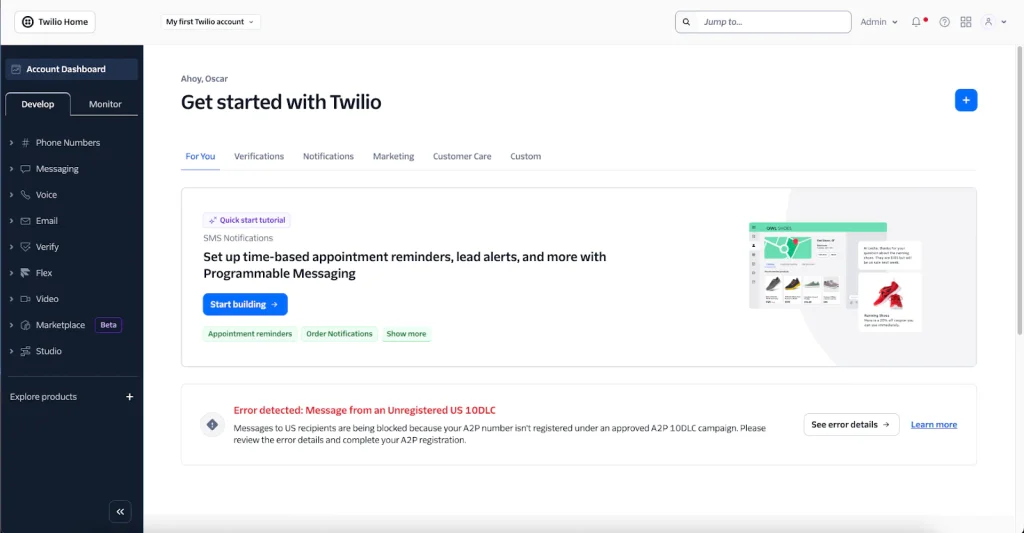
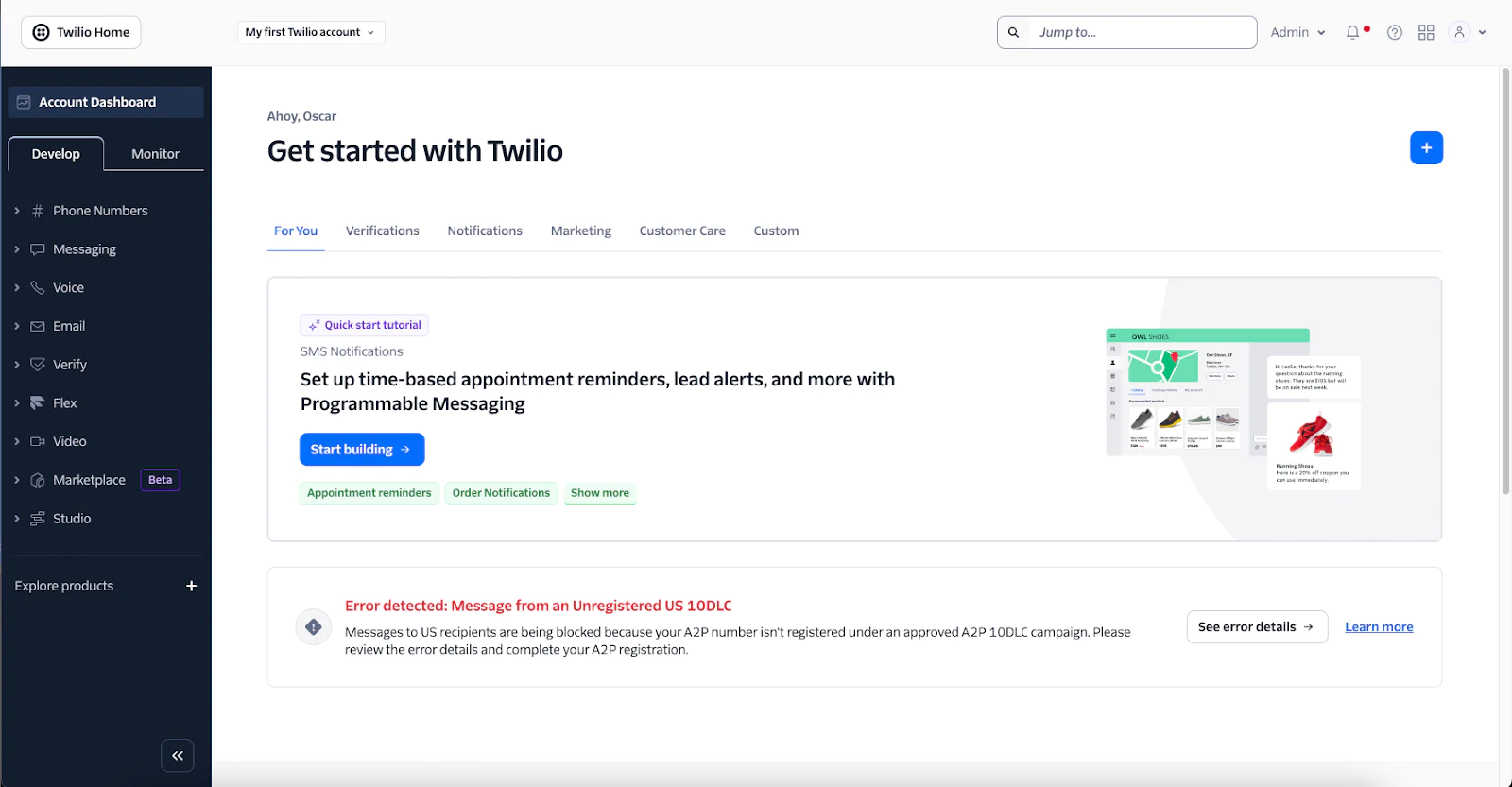
Twilio Flex is a configurable contact center solution that unifies voice, messaging, routing, customer context, and AI assistance. It is designed to work with existing technology, so organizations can embed voice, SMS, WhatsApp, and email into the applications they already use instead of replacing their stack.
Flex orchestrates interactions across channels, AI-driven automation, and human agents, and supports both inbound and outbound use cases. Organizations can launch an out-of-the-box contact center and customize it over time using in-house developers, Twilio Professional Services, or consulting partners.
Key features include:
- Embedded channels: Adds voice, SMS, WhatsApp, and email to existing applications so agents can handle conversations without switching between tools.
- AI to human escalation: Resolves routine inquiries with AI self-service and escalates complex issues to the right human agent with conversation context intact.
- Unified agent view: Pulls customer data from existing systems into a single view of every interaction.
- CRM and business system integration: Integrates with platforms such as Salesforce and ServiceNow to connect customer data, workflows, and agent tools.
- Outbound engagement: Supports business-initiated conversations on preferred channels, with AI starting outreach and agents joining when customers respond, all in one continuous conversation.
- Self-service and digital channels: Teams can build self-service IVR workflows with Twilio Studio and deploy digital channels with Flex Conversations.
- User + Usage pricing: Charges based on actual usage, with a composable architecture that lets teams control how they build and scale.
Limitations (as reported by users on G2):
- Engineering effort for changes: Users report that even small changes, such as adjusting schedules for holidays, require engineering support.
- Performance and stability: Some users describe slowness, calls getting stuck, chats not loading, and failed call transfers.
- Reporting complexity: Reviewers find reporting complex to work with and note weak integration with workforce management platforms.
- Limited language support in Functions: Teams that build on Twilio Functions note that only Node.js is supported.
Source: Twilio
3. Amazon Connect Customer

Call center types offered: Cloud-based, virtual/remote, inbound, and outbound
Best for: AWS-centric organizations building AI-driven omnichannel service
Strengths: Agentic self-service, global telephony, and built-in WFM tools
Things to consider: Integrations can be complex and costs can be hard to predict
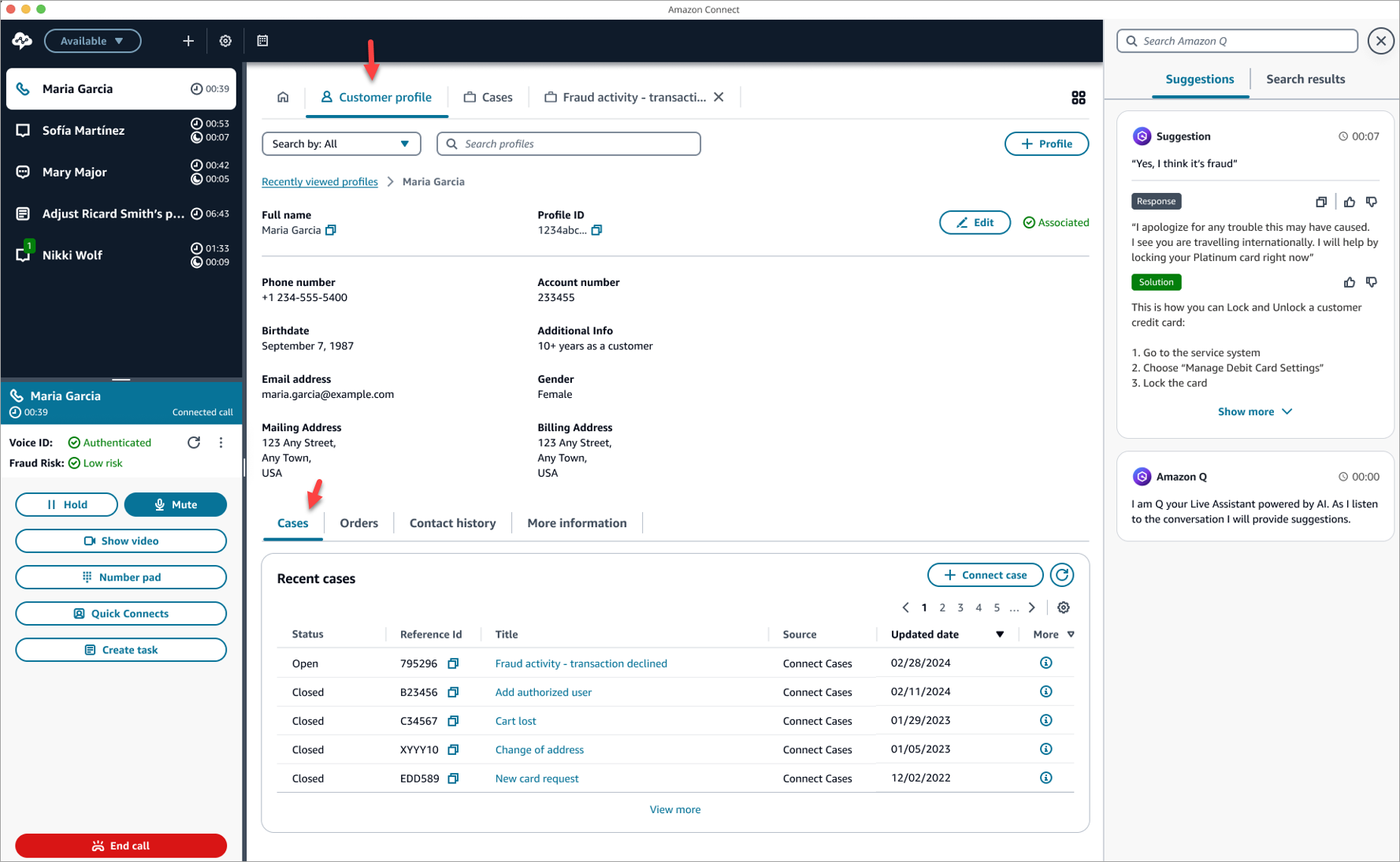
Amazon Connect Customer is AWS’s AI-native contact center solution for voice and digital channels. It uses a single interface and routing engine for voice, chat, email, and tasks, so flows, rules, and reports are built once and applied across all channels.
AWS manages a network of telephony providers worldwide and connects directly to 40+ tier-1 carriers. The platform includes an agent workspace, conversational analytics, and workforce management, and integrates with other AWS services and third-party systems through AWS Lambda.
Key features include:
- Agentic self-service: AI agents resolve requests such as returns, account updates, and travel rebooking across voice and digital channels, then hand off to a human agent with history intact. A no-code agentic CX designer combines rule-based steps and AI steps in one flow.
- Global telephony: Provides direct inward dial and toll-free numbers across 158 countries, national outbound numbers in 72 countries, and international dialing, with a softphone that delivers 16kHz audio.
- Drag-and-drop flows: One workflow designer builds IVR and chatbot experiences, step-by-step agent guides, and task automation, with AWS Lambda connecting to databases and external systems such as CRMs.
- Outbound campaigns: Runs multi-step campaigns across voice, SMS, email, and WhatsApp, with predictive, progressive, preview, and agentless dialer modes and machine learning answering machine detection.
- Skills-based routing: Routes contacts based on availability, skills, customer sentiment, and past history.
- Agent assist and summaries: Detects customer issues during conversations, recommends responses and guides, and generates structured post-contact summaries.
- Conversational analytics: Analyzes sentiment and trends in voice and chat, supports full-text transcript search, runs automated evaluations on all analyzed interactions, and redacts sensitive data.
- Workforce management: Includes contact forecasting, capacity planning, scheduling, and real-time dashboards updated every 15 seconds.
Limitations (as reported by users on G2):
- Speech recognition accuracy: Some users report that analytics struggle with certain accents and occasionally flag profanity that was not said.
- Dated interface: Reviewers note that the interface could look more modern.
- No bulk configuration: Users would like to perform actions in bulk, such as creating queues or predefined attributes.
- Integration complexity and cost: Some reviewers mention complex integrations and costs that are hard to predict.
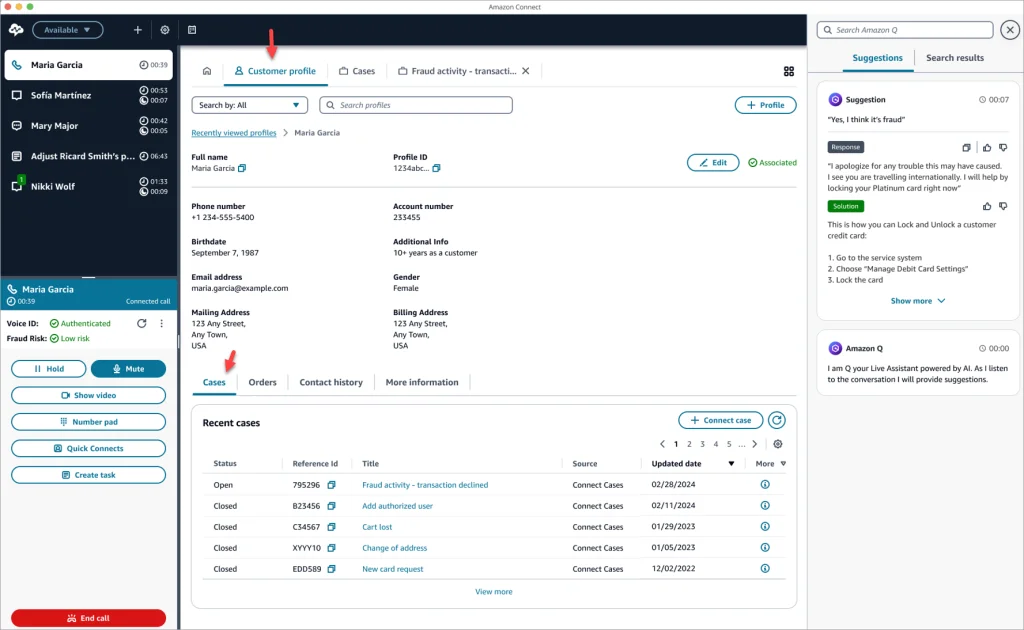
Source: Amazon
4. Vonage Contact Center
Call center types offered: Cloud-based, virtual/remote, inbound, and outbound
Best for: Salesforce and ServiceNow users that want CRM-embedded voice
Strengths: Deep CRM integrations, AI virtual assistant, and gamification
Things to consider: Users report a dated interface and a learning curve for setup
Vonage Contact Center (VCC) is a cloud-based, AI-powered contact center as a service (CCaaS) platform. It integrates with CRMs to centralize customer data and uses AI to route customers to the right service regardless of telephony provider.
Agents can work in the Vonage Intelligent Workspace or inside CRM interfaces such as Salesforce Service Cloud Voice, with a mixed-mode setup chosen by agent role. Vonage Fusion combines contact center and unified communications from one vendor, and the platform holds certifications including ISO 27001, PCI-DSS, SOC, HITRUST, and CSA STAR.
Key features include:
- CRM-embedded calling: Auto-logs calls and recordings, displays customer screen pops in the CRM, and supports click-to-dial and auto-dial from within the CRM.
- Salesforce and ServiceNow voice: Offers Vonage Premier for Salesforce Voice and native integration with ServiceNow, along with integrations for Microsoft Teams and Microsoft Dynamics.
- AI virtual assistant: Vonage AI Virtual Assistant automates answers to simple questions across channels and escalates complex issues to a live agent with relevant expertise.
- Conversation analysis: Conversation Analyzer transcribes, tags, and supports QA for customer calls. Interaction data can be sent to CRM or BI reporting tools.
- Omnichannel and video: Supports digital channels across agent interfaces, along with video and screen sharing during customer interactions.
- Noise cancellation: AI-powered Enhanced Noise Cancellation removes background noise from calls to improve audio, transcriptions, and analytics.
- Agent performance tools: Includes gamification, Agent Assist, call logging and recording, and custom dashboards and wallboards with real-time KPIs.
Limitations (as reported by users on G2):
- Dated interface: Some users find the contact center interface outdated and say setup requires extensive reading of documentation.
- Call and widget errors: Reviewers mention dropped calls and recurring widget error codes during the day.
- Texting reliability: Users report that some text messages are not delivered and that texting features are limited.
- IVR configuration: Setting up special days in the IVR is described as difficult.
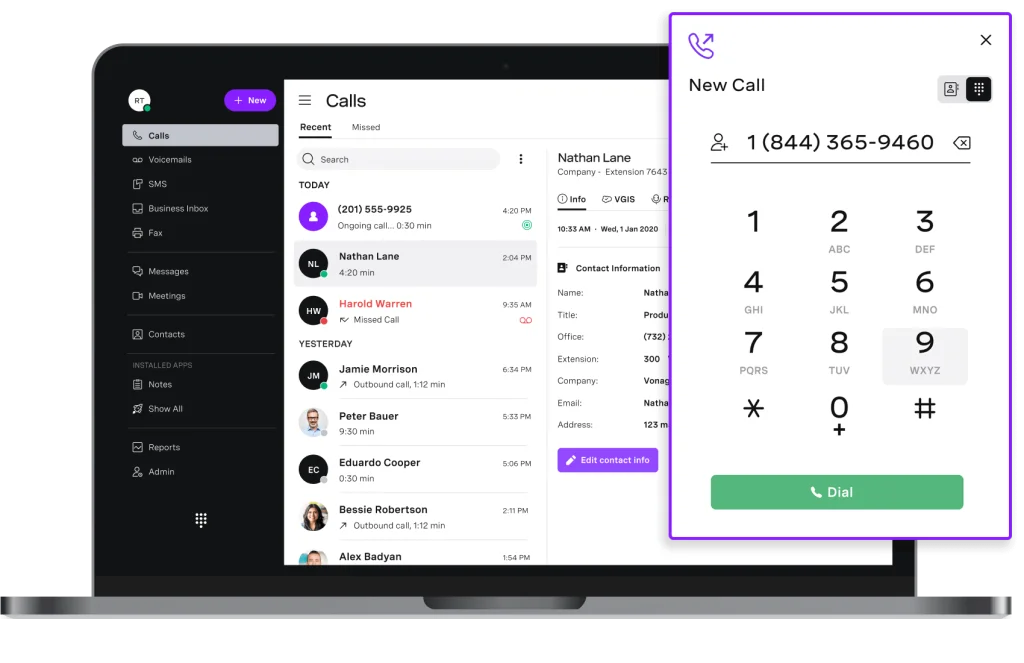
Source: Vonage
Enterprise Contact Center Platforms
5. NiCE CXone

Call center types offered: Cloud-based, virtual/remote, inbound, and outbound
Best for: Large enterprises standardizing on one AI-driven CX platform
Strengths: Advanced ACD, workforce engagement, and an open app marketplace
Things to consider: Complex to learn, with some reports of dropped calls
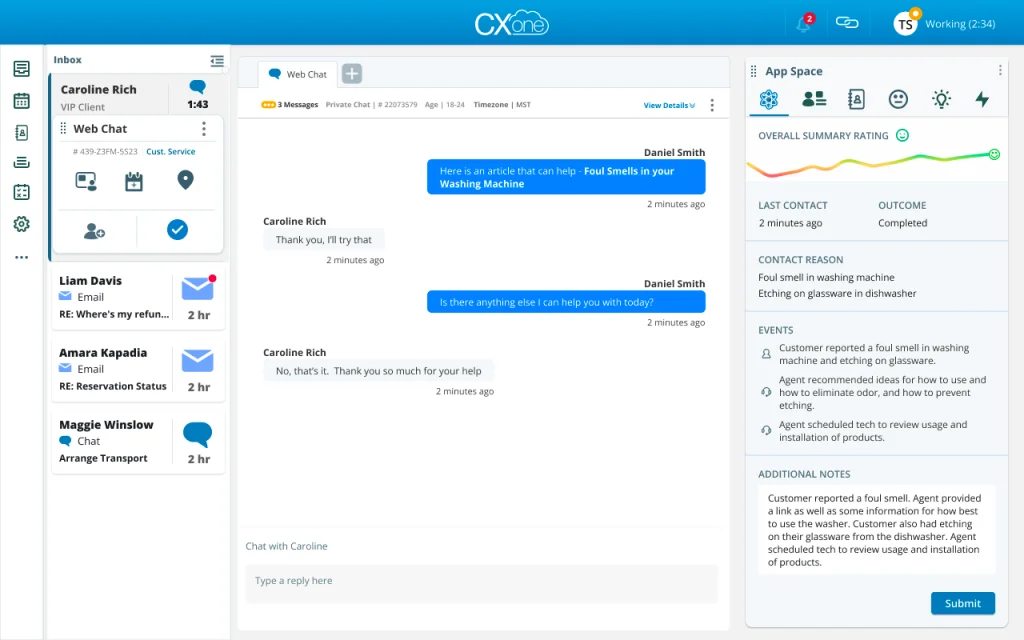
NiCE CXone is a cloud-native contact center platform that handles inbound and outbound communication across voice and digital channels. Its automatic call distribution (ACD) system routes calls to the most suitable agents, and its IVR is built to handle high call volumes during peak periods.
CXone unifies workflows, agent tools, and enterprise knowledge on one platform with AI built for customer experience. It integrates with CRM systems for a combined view of customer interactions and supports third-party applications through open APIs and the CXexchange marketplace.
Key features include:
- Automatic call distribution: Routes calls to the most qualified available agent to reduce wait times and manual transfers.
- IVR and self-service: Uses IVR and digital self-service to give customers answers on voice and messaging channels.
- Journey orchestration and routing: Builds personalized self-service and agent experiences across voice and digital channels.
- Workforce engagement management: Gives agents performance visibility and gamification, supports flexible scheduling, and provides real-time AI guidance.
- Agent assist: AI-driven applications deliver real-time guidance and personalized coaching to agents.
- Call recording and quality: Records calls for quality assurance and training, with analytics and reporting on interactions.
- Open cloud platform: Provides a core module framework with open APIs and pre-integrated partner applications on the CXexchange marketplace.
Limitations (as reported by users on G2):
- Call reliability: Some users report dropped calls and display issues during calls.
- Learning curve: Reviewers describe the platform as complex and difficult to learn.
- Outages and troubleshooting: Some users mention outages that disrupt service levels and troubleshooting that is complicated.
- Reporting and dashboards: Reviewers find some reports hard to understand and would like more dashboard customization.
Source: NiCE

6. Genesys Cloud CX

Call center types offered: Cloud-based, virtual/remote, inbound, and outbound
Best for: Enterprises orchestrating AI and human agents across journeys
Strengths: Broad channel coverage, AI agents, and the AppFoundry ecosystem
Things to consider: Higher cost, lengthy implementation, and reporting gaps
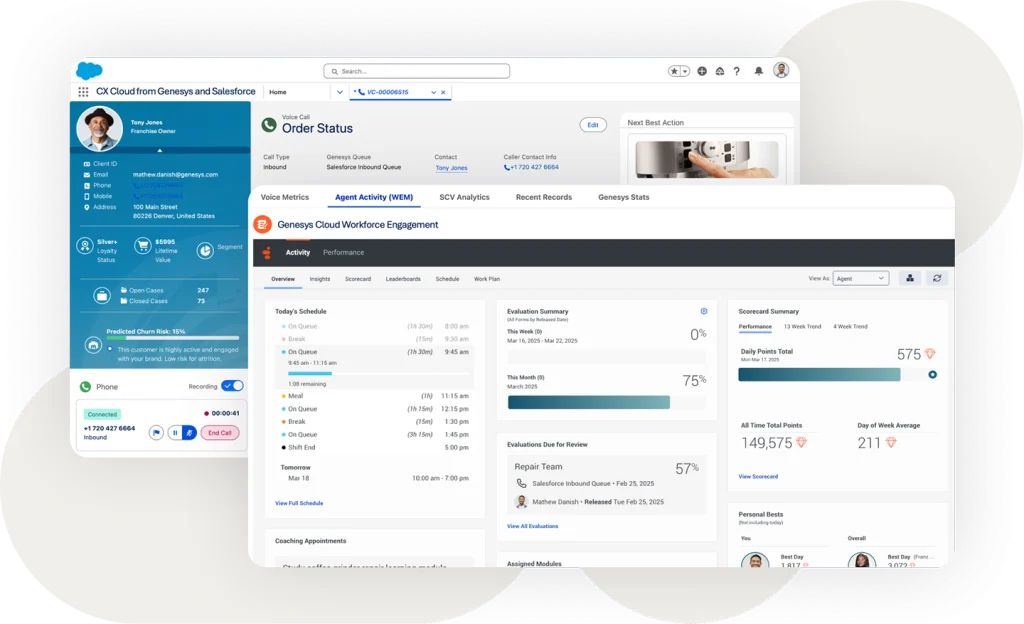
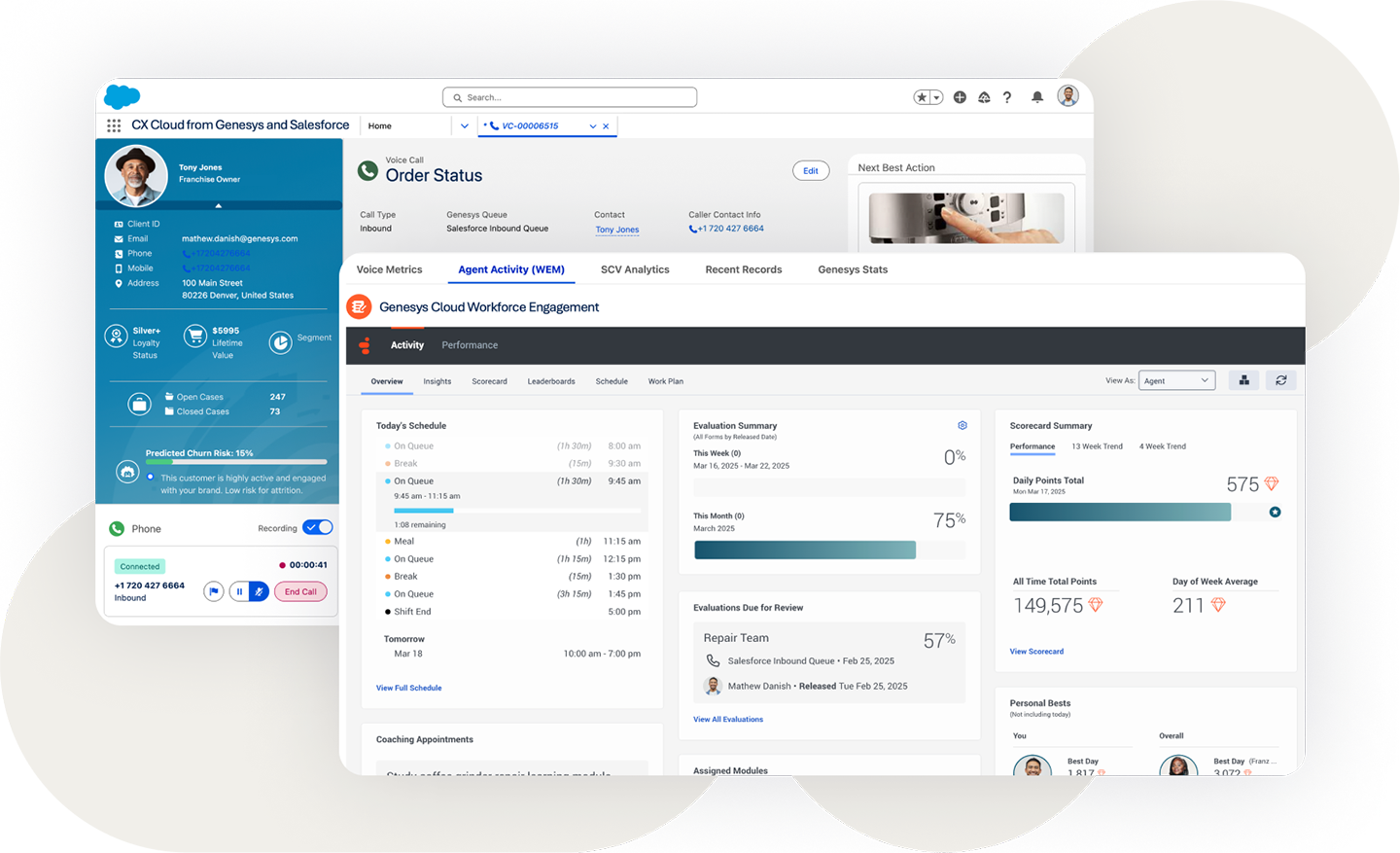
Genesys Cloud CX is a cloud platform that companies use to run contact center operations, digital channels, workforce management, and analytics in one place. AI agents and human teams work from the same platform, sharing customer context to decide and act on the next step in each interaction.
The platform supports voice, email, web chat, SMS, WhatsApp, Facebook Messenger, Instagram, X direct messages, Apple Messages for Business, and open messaging for custom channels. It connects to CRM platforms such as Salesforce and ServiceNow, and to other business systems through the AppFoundry marketplace and open APIs.
Key features include:
- AI virtual agents: Deploys AI agents for 24/7 service in multiple languages across voice, text, web, social, and WhatsApp, for both inbound and outbound interactions.
- AI agent workbench: Builds, tests, and governs AI agents grounded in approved knowledge, with connections to other systems and validation before publishing.
- Intent-based routing: Identifies customer intent and routes customers to the right person, AI agent, or flow with context intact.
- Journey orchestration: Orchestrates personalized customer journeys and automates the back-office work behind them across systems and partners.
- Agent workspace and copilots: Brings copilots, context, and knowledge into one workspace, and can embed Genesys Cloud AI, routing, and channels into CRM workflows.
- Workforce engagement: Forecasts volume, plans capacity, and assigns human and AI agents to work, with coaching, learning, and goal tracking.
- Quality and analytics: Monitors human and AI conversations for quality, and offers custom dashboards for drilling into KPIs and root causes.
Limitations (as reported by users on G2):
- Cost and implementation time: Users note relatively high cost and lengthy implementation timelines.
- Reporting gaps: Reviewers mention missing report parameters, dashboard sync issues that affect agent status visibility, and limited options for exporting recordings.
- Learning curve: Some users find the interface overwhelming at first, with many options and settings for new users.
- Network maintenance: Some admins report that changing IP address ranges require manual firewall updates.
Source: Genesys
7. Five9
Call center types offered: Cloud-based, virtual/remote, inbound, and outbound
Best for: Enterprises combining AI automation with human agents across channels
Strengths: AI self-service, real-time agent assist, and WFO tools
Things to consider: Advanced changes often need Five9 professional services
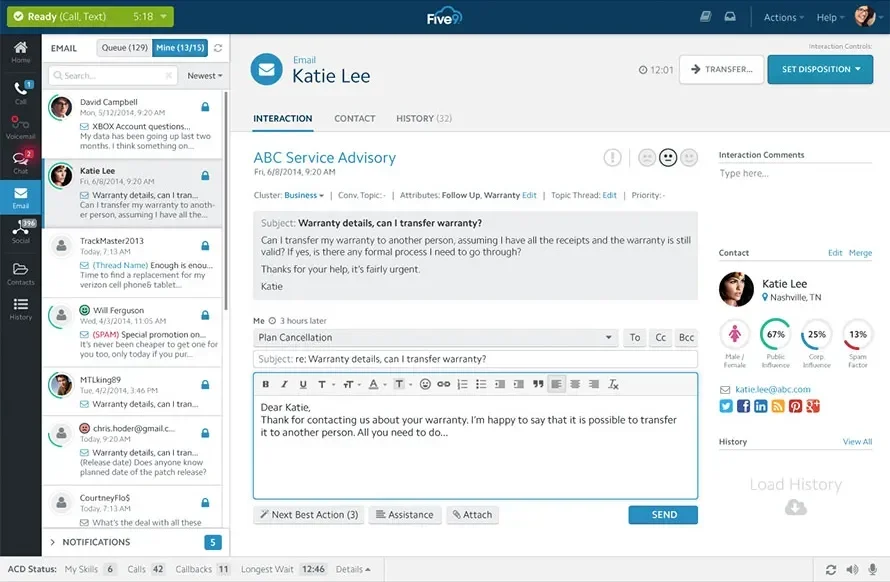
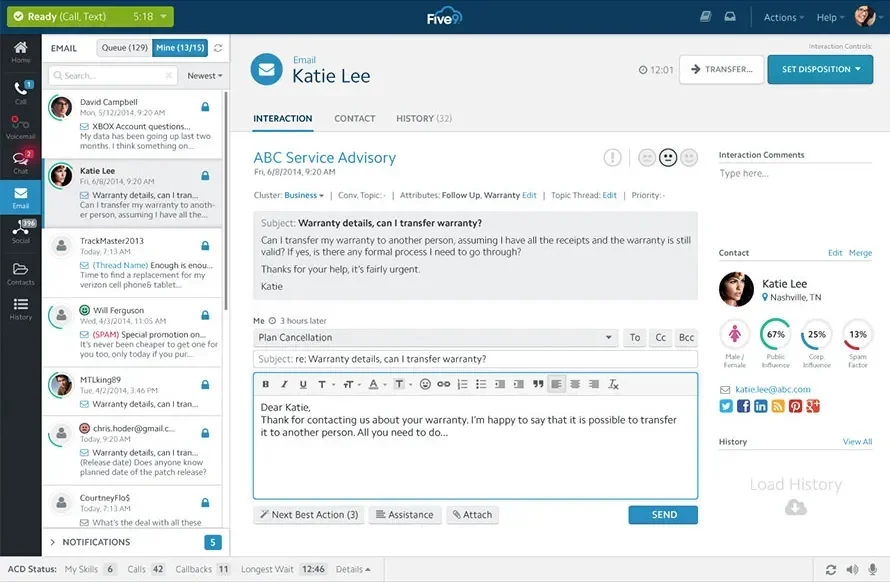
Five9 is a cloud contact center platform, now delivered as the Five9 Intelligent CX Platform, that combines human agents with AI and automation across voice and digital channels. Organizations can scale and adapt the platform as their needs change without complex upgrades.
Customers can reach agents by voice, email, chat, SMS, or social messaging, and their previous interactions follow them across channels. Five9 provides AI self-service and real-time agent coaching, along with workforce optimization tools for staffing and agent performance.
Key features include:
- Collaborative intelligence: Combines human agents with AI and automation to handle service delivery and give customers more ways to resolve inquiries.
- Voice AI agents for self-service: Provides AI agents that handle customer self-service and work alongside human agents on the same platform.
- Agent Assist: Delivers real-time coaching to agents during customer conversations.
- Workforce optimization: Provides tools to manage staffing, review agent activity, and track first contact resolution and conversion rates.
- Choice of channels: Supports voice, email, chat, SMS, and social messaging, with interaction history carried across channels.
- Agent Desktop Plus: Gives agents a single desktop for handling interactions regardless of the channel the customer uses.
- Real-time insights: Uses real-time data collected from customer interactions to surface insights for agents and the business.
Limitations (as reported by users on G2):
- Professional services for enhancements: Users report that adding features or setting up custom campaigns often requires Five9 professional services or support staff.
- Limited customization: Reviewers mention limited customization for specific business needs.
- Salesforce integration issues: Some users report recurring technical issues and freezes with the Salesforce integration.
- Implementation and learning curve: Implementation can be time-consuming, and new users face a learning curve with advanced features.
Source: Five9
8. Talkdesk
Call center types offered: Cloud-based, virtual/remote, inbound, and outbound
Best for: Enterprises wanting prebuilt, industry-specific contact center clouds
Strengths: Industry clouds, 100+ AppConnect apps, and 30+ certifications
Things to consider: Steep learning curve and occasional app glitches
Talkdesk is an AI-powered cloud contact center platform that includes Talkdesk CX Cloud and Customer Experience Automation (CXA). CX Cloud provides applications for customer self-service, omnichannel engagement, workforce engagement, employee collaboration, and customer experience analytics.
Talkdesk also offers industry-specific experience clouds that are pre-integrated with core systems and include custom workflows and AI trained for each sector. It serves enterprise customers in 100+ countries on a microservices-based, cloud-native architecture.
Key features include:
- AI agents and CXA: AI agents automate service, sales, and support processes, with multi-agent orchestration coordinating specialized agents across customer-facing and back-office operations.
- Omnichannel engagement: Connects with customers across voice and digital channels in one platform, with automations that support agents.
- Industry experience clouds: Offers prebuilt solutions for financial services, insurance, healthcare, retail, government and education, travel and hospitality, and commercial and residential services.
- Workforce engagement: Provides tools for managing and supporting agents, managers, and decision-makers.
- Interaction and quality analytics: Delivers analytics, automation, and insights about customers and their interactions.
- Integrations and customization: Includes 70+ contact center integrations, 100+ offerings in the AppConnect marketplace, and Talkdesk Builder with APIs, SDKs, and low-code and no-code tools.
- Flexible deployment: Supports bring your own carrier (BYOC), hybrid cloud storage, and regional data locations, with eight data centers in the Talkdesk Global Communications Network.
- Security certifications: Holds 30+ certifications, including SOC 2 and 3, ISO 27001, PCI DSS Level 1, HIPAA, and GDPR.
Limitations (as reported by users on G2):
- Learning curve: Users report a steep learning curve and a user interface that needs optimization.
- App glitches: Some reviewers say glitches occasionally prevent them from taking calls.
- Connection and status accuracy: Calls can take too long to connect, and agent availability status is not always displayed accurately.
- Reporting search: Reviewers would like more search options in the reporting interface.
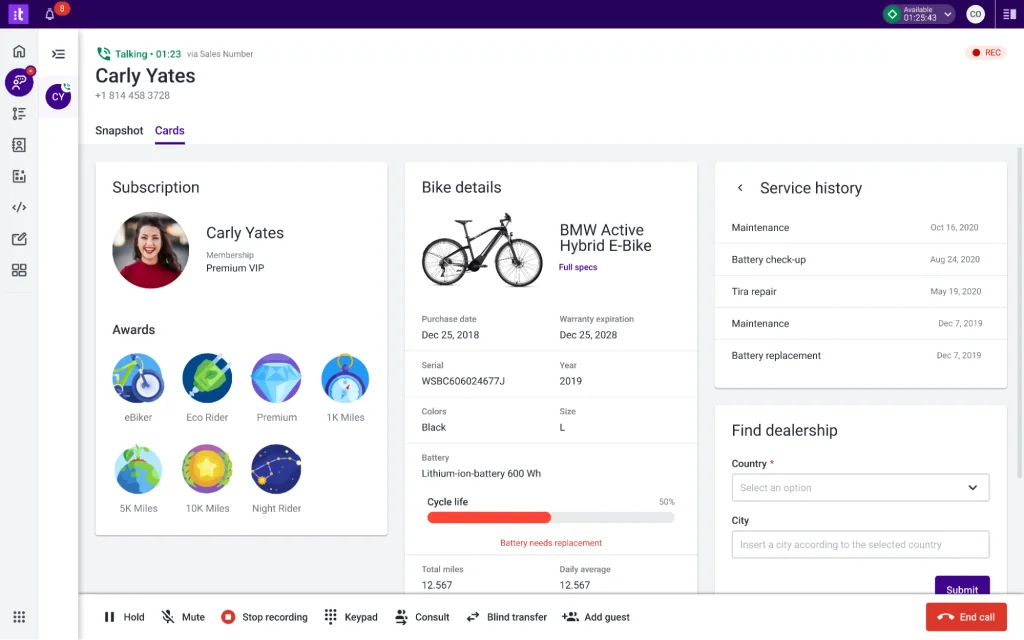
Source: Talkdesk
9. Zendesk Contact Center

Call center types offered: Cloud-based, virtual/remote, and inbound
Best for: Support teams that already run ticketing in Zendesk
Strengths: Voice in the ticket workspace, voice AI agents, and auto QA
Things to consider: Advanced features sit in higher tiers, and pricing can be high
Zendesk Contact Center brings voice support into the same Zendesk workspace that agents use for messaging, email, and other channels. Agents route and handle calls with full ticket context, and AI is built into each stage of the call, from answering to wrap-up.
AI agents can answer inbound calls, a voice copilot assists during live calls, and summaries and transcripts are generated after calls end. The voice architecture supports VoIP, PSTN, and embedded options, and can be extended with apps from the Zendesk Marketplace.
Key features include:
- Voice AI agents: AI agents answer inbound calls using natural language and redirect customers to a human agent when needed.
- Voice copilot: Provides live suggestions to agents once a call is transferred.
- Post-call automation: Summarizes and transcribes calls automatically into the agent workspace.
- Routing options: Supports IVR, group, prioritized, overflow, and after-hours routing, with maximum queue size and wait time settings and callback requests.
- Quality assurance: Evaluates all human and AI agent conversations and flags churn risks, outliers, and dead air.
- Analytics and monitoring: Real-time analytics and cross-channel reporting compare voice performance with messaging, email, and chat, alongside call monitoring and recording.
- Collaboration tools: Includes call conferencing, call barging, warm transfers, and live coaching, with complete call history in Zendesk.
- Phone system features: Provides toll-free and international numbers, business hours, voicemail, extensions, and block lists.
Limitations (as reported by users on G2):
- Voice reliability: Some users say Zendesk voice needs improvement in reliability and functionality.
- Manager visibility: Reviewers have asked for better manager visibility into voice agent activity.
- Pricing and tiers: Users find the licensing expensive and note that advanced features are tied to higher-tier plans.
- Learning curve: Reviewers report a steep learning curve when setting up advanced features and integrations.
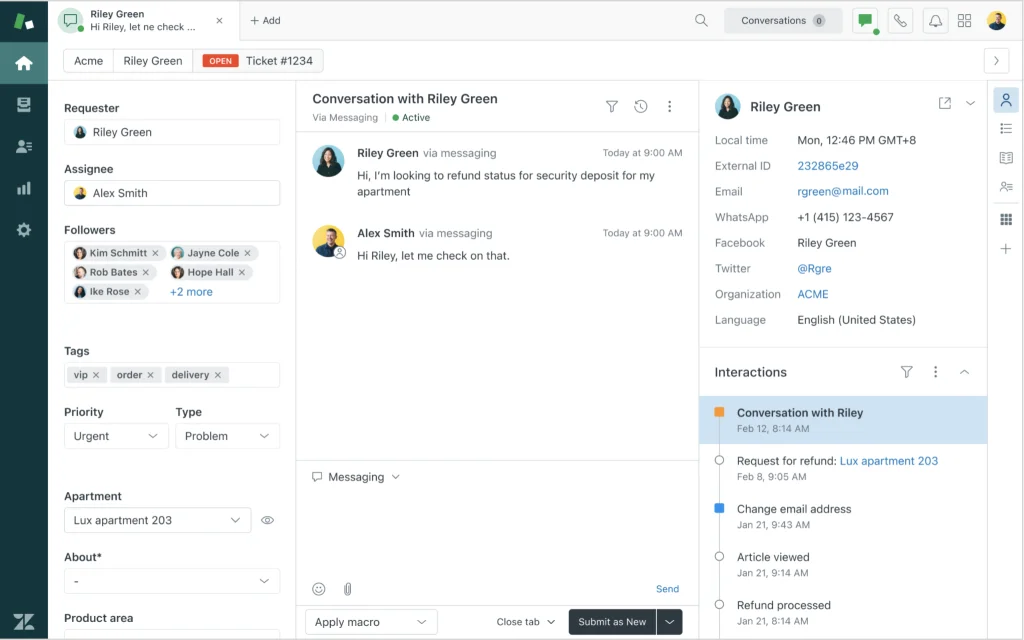
Source: Zendesk

10. Microsoft Dynamics 365 Contact Center

Call center types offered: Cloud-based, inbound, and outbound
Best for: Microsoft-centric organizations adding an AI contact center to any CRM
Strengths: Copilot assistance, AI service agents, and Teams Phone telephony
Things to consider: Voice depends on Azure Communication Services or Teams Phone
Dynamics 365 Contact Center is Microsoft’s cloud contact center for voice and digital channels. It works with existing CRMs as well as Dynamics 365 Customer Service, and turns the earlier voice and digital messaging add-ins into a standalone product with Copilot and conversational IVR from Nuance.
Customers connect through voice, SMS, web, mobile, email, and social channels, and unified routing assigns each request to the best-suited service representative. Data from all contact center interactions is stored in Microsoft Dataverse, and pricing starts at $110 per user per month, paid yearly.
Key features include:
- AI self-service: Context-aware AI agents handle digital self-service, and a conversational voice agent recognizes caller intent and complex instructions.
- Unified routing: Assigns requests from any channel to the best-suited service representative based on skills and capacity.
- Copilot for representatives: Provides suggested responses, conversation summaries, and a knowledge chat interface, along with a customer view that includes sentiment, interaction history, topics, and CRM case data.
- Service agents: Includes a Customer Assist Agent, Quality Assurance Agent, Service Operations Agent, Customer Intent Agent, and Customer Knowledge Management Agent, and supports custom agents built in Copilot Studio.
- Supervisor tools and analytics: Gives supervisors visibility into ongoing sessions and performance metrics, with real-time dashboards, historical reporting, and Copilot analytics.
- Workforce management: Shows representative skills, capacity, allocation, and performance trends in near-real time, and connects to existing WFM solutions.
- Teams Phone telephony: Uses Teams Phone with Dynamics 365 Contact Center to manage contact center telephony in the Microsoft environment.
Limitations (based on publicly available sources):
- Telephony dependencies: Voice requires phone numbers through Azure Communication Services or Teams Phone, and bring-your-own telephony connects SIP trunks through direct routing.
- No Microsoft SLA for own telephony: With bring-your-own telephony, Microsoft does not provide an SLA, and call quality outside the Microsoft boundary is managed by the customer.
- SIP context loss: SIP context such as caller ID, intent, and authentication tokens might be stripped by PSTN carriers outside the Microsoft network.
- Workspace scope: The voice channel is supported in the Copilot Service workspace and is not available in other Dynamics 365 apps.
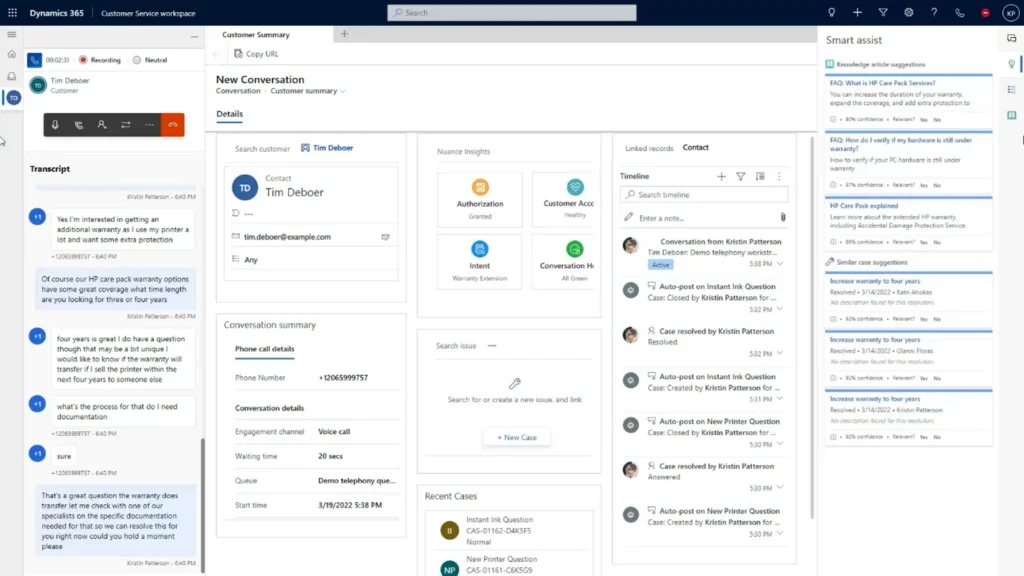
Source: Microsoft

On-Premise and Hybrid Call Center Solutions
11. Avaya Infinity

Call center types offered: On-premise, cloud-based, inbound, and outbound
Best for: Large enterprises modernizing existing Avaya contact centers in phases
Strengths: Cloud, hybrid, and on-prem deployment from one code base
Things to consider: Users report complex deployment and frequent authentication errors
Avaya Infinity is Avaya’s customer experience platform for enterprise contact centers. It connects enterprise systems, data, AI models, and workflows in one orchestration layer, so routing, verification, guidance, and automation can run while an interaction is still in progress.
The platform uses a single code base across cloud, hybrid, and on-premises deployments. Existing Avaya CC Elite customers can add Infinity capabilities in phases, and the platform supports bring-your-own carrier, messaging, WFM, and AI options. Pricing follows a per-seat model with named and concurrent licensing.
Key features include:
- Flexible deployment: Supports cloud, hybrid, and on-premises deployments, with geo-redundancy, an API gateway, and a health dashboard. Backward-compatible paths let existing Avaya environments adopt new capabilities in stages.
- Inbound and outbound orchestration: Handles inbound and outbound interactions in the same orchestration layer. Outbound Preview Mode provides pre-call customer context, campaign and compliance management, and real-time campaign statistics.
- AI and human handoffs: Carries context across IVR, self-service AI, agentic AI, and human agents. In the tandem care model, AI gathers information and guides next steps while agents handle the conversations that need human judgment.
- Model Context Protocol (MCP) support: Connects AI models to enterprise systems, data, and tools through MCP, and supports multiple AI models with guardrails.
- Enterprise data activation: Built with Databricks, it brings data such as billing, usage, logistics, and fraud signals into interactions in real time through Delta Sharing.
- Low-code workflows: Visual tools let authorized business users create and update workflows while IT keeps governance. AI-assisted workflow modernization analyzes existing Avaya workflows and generates reviewable Infinity workflows.
- CRM and workforce integrations: Offers embedded agent experiences for Salesforce, Microsoft Dynamics 365, ServiceNow, Zendesk, and Microsoft Teams, and works with Verint for workforce engagement.
- Governance controls: Includes role-based access control, audit trails, retention controls, and bring-your-own-key (BYOK) encryption.
Limitations (as reported by users on G2):
- Deployment complexity: Some users find deployment, configuration, and integrations complex.
- Authentication errors: Reviewers mention frequent authentication errors.
- Call audio issues: Some users report lag and static on lines.
- Dated appearance: Reviewers describe the colors and design of the interface as outdated.
12. Cisco Webex Contact Center
Call center types offered: On-premise, hosted, cloud-based, inbound, and outbound
Best for: Cisco customers moving on-premises contact centers to the cloud
Strengths: On-prem, hosted, and cloud options in one Flex Plan subscription
Things to consider: Users report disjointed features and limited customization
Cisco offers a contact center portfolio that spans cloud and on-premises deployments. Webex Contact Center is its cloud contact center for small to large operations, Webex Contact Center Enterprise is a cloud option for large enterprises, and Cisco Unified Contact Center Express and Enterprise run on premises.
Through the Cisco Collaboration Flex Plan, organizations can buy a mix of on-premises, hosted, and cloud contact center seats in one user-based subscription and migrate at their own pace. Webex Contact Center adds AI agents, agent assistance, and interaction analytics across voice and digital channels.
Key features include:
- Deployment choice: Offers Cisco Unified Contact Center Express and Enterprise for on-premises contact centers, and Webex Contact Center and Webex Contact Center Enterprise in the cloud. Cloud applications such as Webex Contact Center AI work with both on-premises and cloud deployments.
- AI agents for self-service: Webex AI Agent handles self-service across voice and digital channels and hands customers to human agents when needed.
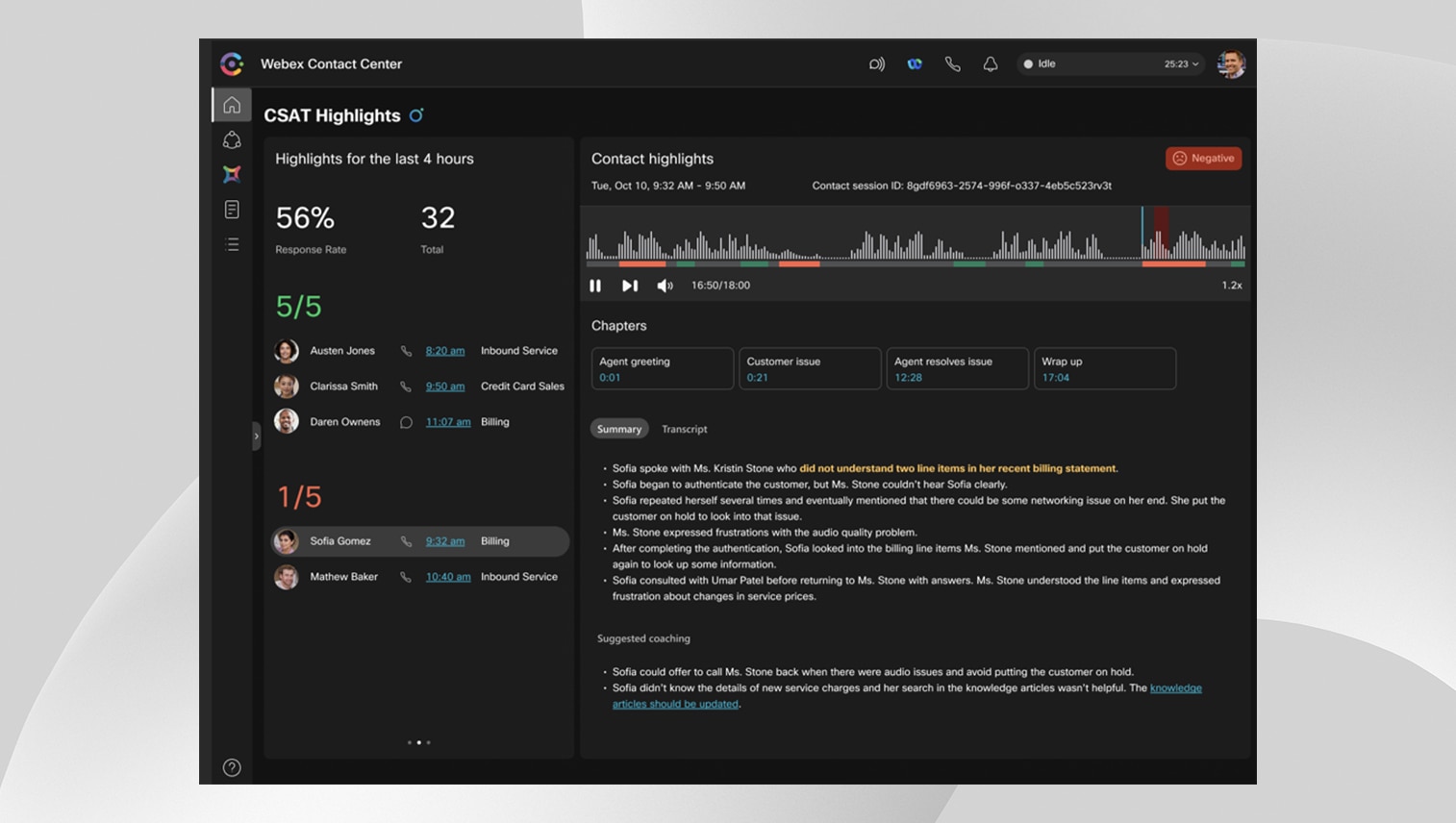
- AI Assistant for agents: Suggests replies using customer context, history, and knowledge base data, and generates interaction summaries with suggested follow-up actions and wrap-up codes.
- Quality management: Analyzes all interactions, human or AI, so supervisors can identify best practices and coach agents.
- AI routing and journey data: Routes interactions with AI, connects contextual data and customer journey insights, and supports proactive, automated messaging.
- Supervisor and workforce tools: Includes supervisor tools, workforce optimization, reporting and analytics, and centralized administration.
- Integrations and collaboration: Provides CRM and business system integrations, collaboration tools for agents, and the Webex App Hub with developer tools, on the same platform as Webex calling and meetings.
Limitations (as reported by users on G2):
- Disjointed features: Some users describe parts of the feature set as disjointed and not well connected.
- Performance at high volume: Reviewers note that the platform can feel slow when handling high call volumes.
- Limited customization: Users mention limited customization and fewer advanced options than some competing platforms.
- Onboarding and reporting: Some reviewers find complex features hard to onboard and note gaps in mobile support and complex reports.
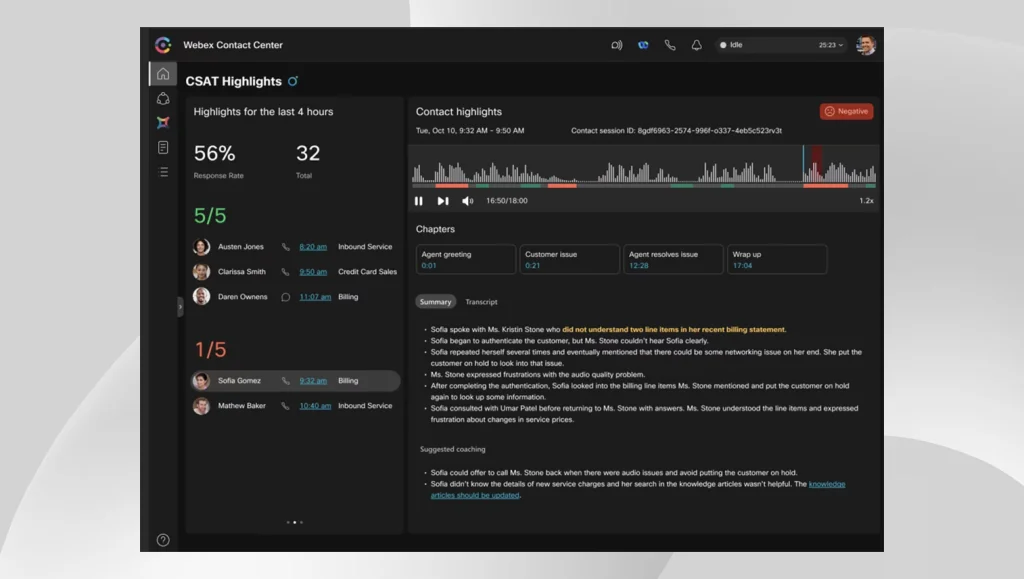
Source: Cisco
13. Mitel CX

Call center types offered: On-premise, hosted, cloud-based, inbound, and outbound
Best for: Organizations that need an on-premises or private cloud contact center
Strengths: Omnichannel routing, AI virtual agents, and built-in WFO options
Things to consider: AI usage, outbound campaigns, and WFM are add-ons or higher tiers
Mitel CX is Mitel’s contact center platform for voice, digital, and AI-assisted interactions. It manages calls, chat, SMS, email, social media, and video in a unified agent desktop, with real-time dashboards, historical reporting, and AI analytics for supervisors.
Mitel CX is sold as a subscription with four user profiles and optional add-ons, and can be deployed in the cloud or on premises. Recording, quality management, and analytics modules are available as CAPEX or subscription purchases, and deployments are delivered through Mitel partners.
Key features include:
- Omnichannel engagement: Supports voice, video, chat, SMS, email, social messaging, and WhatsApp, with queue announcements that update wait times and screen and file sharing during sessions.
- Self-service: Provides no-code AI virtual agents as chatbots and voicebots, IVR with speech recognition and text-to-speech, and multi-language support.
- Agent tools: Includes a unified desktop with presence, AI-suggested replies and coaching, automated call summaries, and screen pops.
- Outbound and callbacks: Supports outbound campaigns and callbacks, with outbound campaign management available as an add-on.
- Reporting and analytics: Real-time dashboards show queues, service levels, and agent activity, and historical reporting includes customer journeys. AI analytics track conversation tone, keywords, and sentiment.
- Recording and quality management: Offers call and screen recording and AI-assisted quality scoring, with emotion detection and recording encryption with key management in the CX Elite profile.
- Workforce optimization: Supports forecasting and scheduling, and tracks occupancy, missed breaks, and burnout indicators.
- Integration and extensibility: Includes a workflow designer and REST APIs for CRM and WFM, and connects with CRM, ERP, and other front- and back-office systems.
Limitations (based on publicly available sources):
- AI interactions billed separately: AI interactions are purchased separately in the CX Premier profile, and CX Elite includes 50 AI interactions.
- Add-ons for key functions: Workforce management, outbound campaign management, advanced IVR, speech recognition, and high availability are optional add-ons.
- Cluster capacity: The platform supports up to 1,200 agents per cluster, which larger operations need to factor into their design.
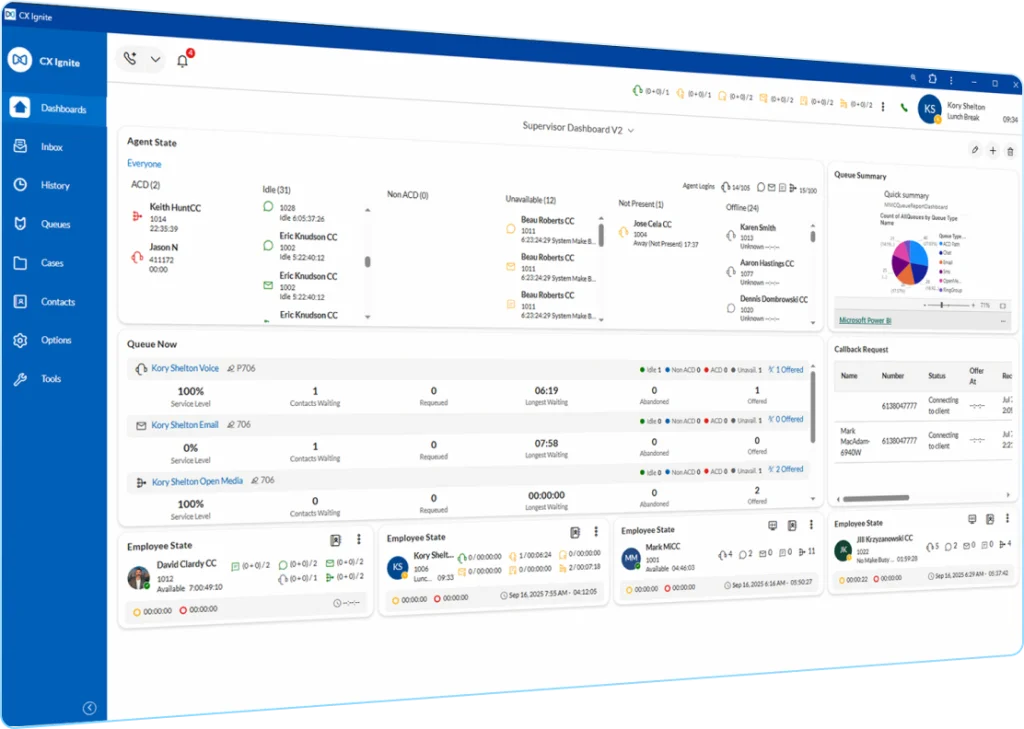
Source: Mitel

14. 3CX
Call center types offered: On-premise, hosted, virtual/remote, and inbound
Best for: Companies wanting a self-managed phone system with call center tools
Strengths: Per-system pricing, on-prem or hosted deployment, and built-in AI
Things to consider: Users report a less intuitive v20 interface and forced upgrades
3CX is a business phone system with integrated call center features for companies with 25 or more users. Organizations can run it on premises on Windows or Linux, self-host it in a private cloud on Amazon, Azure, or Google, or use 3CX Hosted, a managed dedicated instance.
3CX is priced per system per year based on simultaneous calls rather than per agent, and call center functionality is included in the PRO and AI editions. The platform also includes AI agents, transcription, video conferencing, and live chat, WhatsApp, and SMS alongside voice.
Key features include:
- Deployment options: Runs on premises, in a self-hosted private cloud, or as 3CX Hosted, with data kept under the organization’s control in on-premises and private cloud setups.
- Queue management: Configures departments, ring groups, and queue strategies for individuals or groups, and offers callbacks to reach callers who hung up.
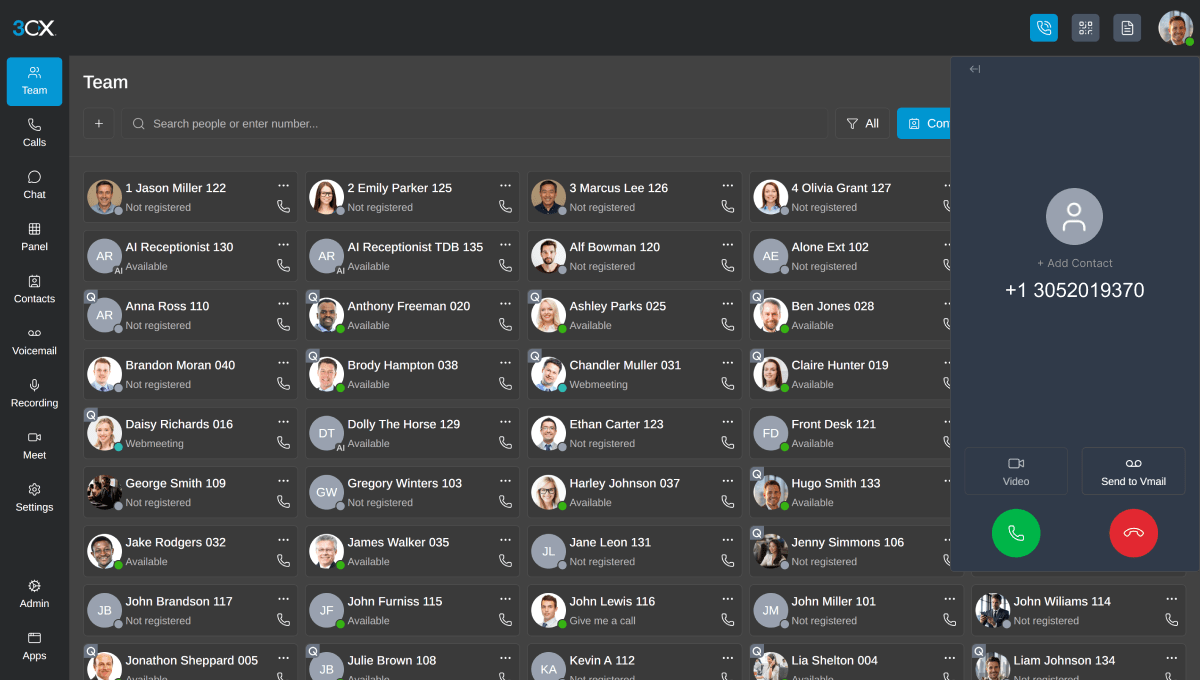
- Agent dashboard and wallboards: Shows which agents are online and available, active calls, calls in queue, and calls waiting too long, with SLA alerting.
- Supervision and recording: Supports listen in, whisper, and barge in for live calls, and records calls for compliance and quality monitoring.
- CRM integration: Looks up caller ID in the CRM to bring up the contact record, with pre-configured integrations for Microsoft 365, Salesforce, HubSpot, Zendesk, and Zoho, and a CRM wizard for others.
- AI reporting: Transcribes and summarizes calls and voicemails and assigns sentiment scores across queues, ring groups, and agents.
- Voice apps and remote work: Self-managed PRO and AI customers can build voice apps with 3CX CFD, and agents can work from mobile and web apps.
Limitations (as reported by users on G2):
- Interface changes: Some users find the v20 interface less intuitive than the previous version.
- Upgrade pace: Reviewers note that they are sometimes required to move to new versions quickly.
- Admin usability: Users mention that usability can fall short for non-technical administrators.
- Connectivity issues: Some reviewers report connectivity issues and dropped calls.
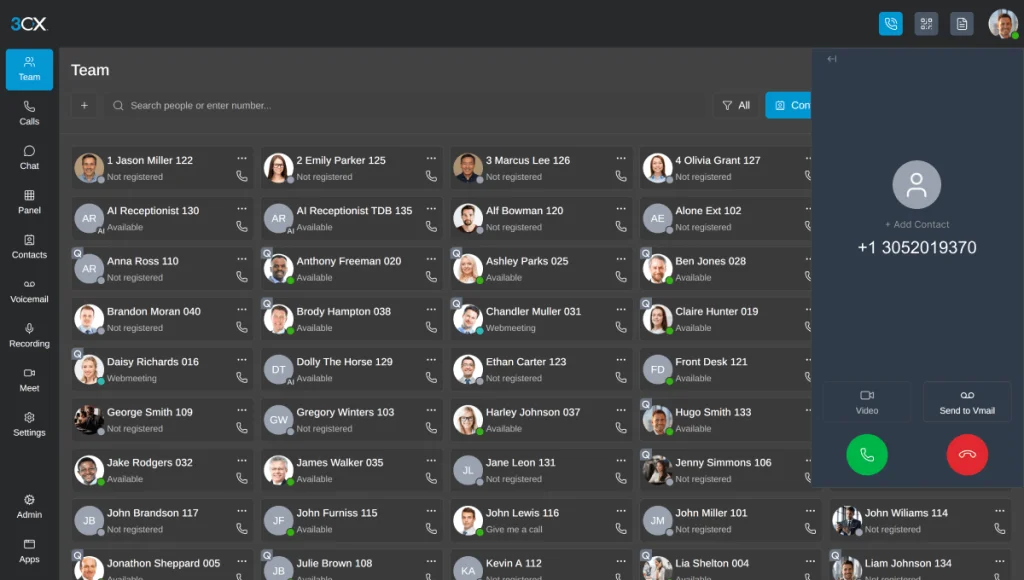
Source: 3CX
Unified Communications-Based Call Center Solutions
15. RingCentral RingCX

Call center types offered: Cloud-based, virtual/remote, inbound, and outbound
Best for: RingCentral customers adding an AI contact center to their phones
Strengths: 20+ digital channels, AI assist tools, and 250+ prebuilt reports
Things to consider: Setup can be difficult, and call quality varies for some users
RingCX is RingCentral’s AI-powered contact center solution, bringing voice and more than 20 digital channels, including chat, email, SMS, social media, and WhatsApp, into one platform. It runs inside the RingCentral app alongside RingEX, so agents and supervisors handle customer conversations and internal communication in one place.
RingCX uses AI to automate routine requests, assist agents during conversations, and analyze interactions. It is self-administered through a visual interaction designer, and includes prebuilt roles, templates, and CRM integrations with Salesforce, Zendesk, ServiceNow, Microsoft Dynamics 365, and HubSpot.
Key features include:
- AI self-service: AI Receptionist (AIR) and AIR Pro provide 24/7 self-service, and AIR Pro builds AI agents that perform multi-step tasks such as verifying IDs or updating records.
- AVA Agent Assist and Supervisor Assist: Agent Assist gives real-time knowledge, suggested responses, compliance checklists, and coaching tips. Supervisor Assist flags interactions that need attention and provides live summaries and transcripts.
- Routing and IVR: Skills-based routing, ACD, and IVR connect customers with the right agent, with advanced attribute-based routing for enterprise requirements.
- Outbound dialers: Offers preview, progressive, predictive, and voice broadcast dialers, plus proactive SMS notifications to 190+ countries.
- Workforce engagement: AI Quality Management scores all interactions, AI Interaction Analytics predicts satisfaction from calls, and AI Workforce Management supports forecasting, scheduling, and adherence.
- Reporting and recordings: Includes 250+ prebuilt reports, custom dashboards, call and screen recordings, and chat transcripts.
- Integrations and APIs: Provides 120+ integrations and 500+ APIs, plus a Chrome and Edge extension for handling calls from the browser.
Limitations (as reported by users on G2):
- Setup effort: Some users describe the initial setup as difficult.
- Call quality: Reviewers report that call quality can be spotty at times.
- CRM dependence: Users note that capabilities are more limited for teams that do not already use a CRM.
- Support response times: Some reviewers mention slow resolution of support cases.
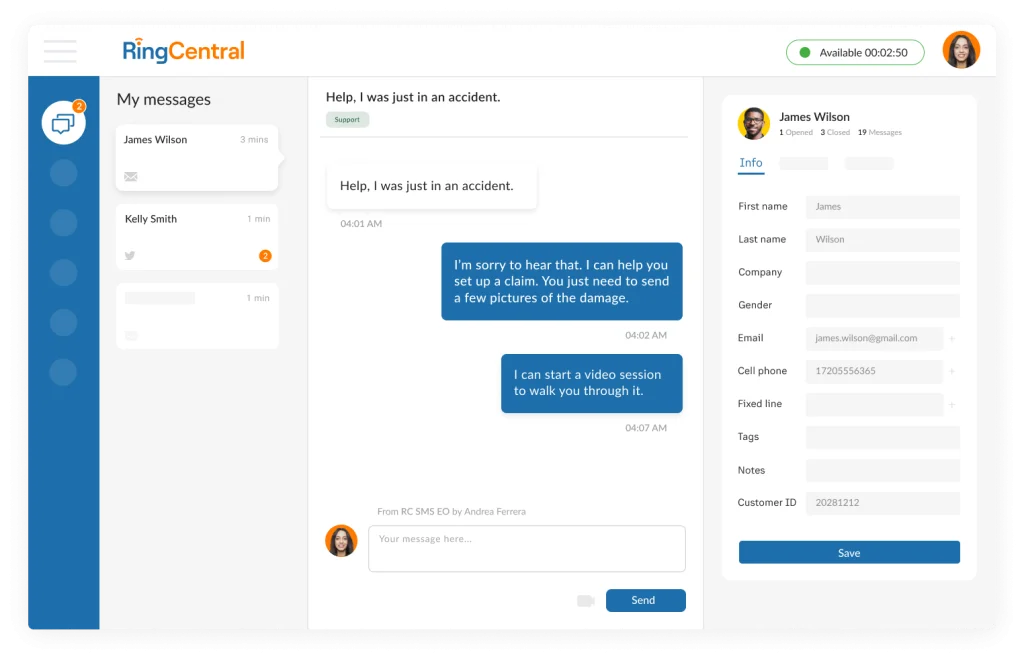
Source: RingCentral
16. Nextiva Contact Center

Call center types offered: Cloud-based, virtual/remote, inbound, and outbound
Best for: SMB and mid-market teams wanting phones and contact center in one
Strengths: Omnichannel inbox, no-code journey workflows, and 99.999% uptime
Things to consider: Admin configuration and cross-system reporting can be tedious
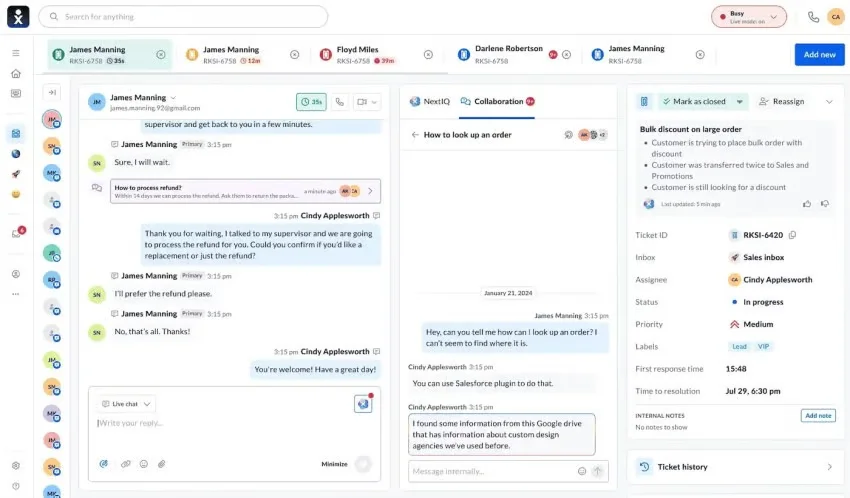
Nextiva Contact Center is an AI-powered omnichannel platform where customers communicate across voice, chat, messaging, email, and social channels. It is part of Nextiva’s NEXT platform, which combines unified communications and customer experience tools.
Nextiva uses virtual agents and chatbots for self-service, AI agent assist during live conversations, and generative AI to transcribe and summarize interactions. It runs on 30+ self-redundant microservices with REST APIs for every function, and supports hybrid cloud deployments.
Key features include:
- Omnichannel engagement: Customers can switch between voice, chat, messaging, email, and social channels while the conversation continues in one platform.
- Self-service virtual agents: Generative AI virtual agents and chatbots handle routine inquiries and FAQs 24/7.
- Journey orchestration: Code-free, drag-and-drop workflow tools build end-to-end customer and internal process automation.
- Agent assist: An AI copilot surfaces knowledge base articles and suggests the next best action during interactions.
- AI summaries and analysis: Generative AI transcribes, summarizes, and analyzes interactions to reduce wrap-up time and support coaching.
- Analytics and quality management: Tracks sentiment, trending topics, and agent performance, with AI-driven quality management, scorecarding, and dynamic agent scripting.
- Integrations: Connects to CRMs, CDPs, BI, and analytics platforms, including Salesforce, HubSpot, Microsoft Dynamics, and Zendesk.
- Compliance and uptime: Supports PCI DSS, HIPAA, and EU GDPR compliance, with a 99.999% uptime SLA.
Limitations (as reported by users on G2):
- Queue configuration: Users report that backend call center setup can be tricky, with changes that must be repeated on each queue.
- Separate reporting: Reviewers note that contact center and business phone reporting are separate, so tracing a call end to end requires manual exports.
- IVR learning curve: Setting up complex IVR routing and auto attendants can be difficult for less technical users.
- Desktop app performance: Some users find the desktop app heavy on older machines.
Source: Nextiva
17. Dialpad Support

Call center types offered: Cloud-based, virtual/remote, inbound, and outbound
Best for: Inbound support teams wanting native AI coaching and CSAT scoring
Strengths: AI Live Coach, AI CSAT, WFM, and one app for all communications
Things to consider: Users report occasional app crashes and AI transcription errors
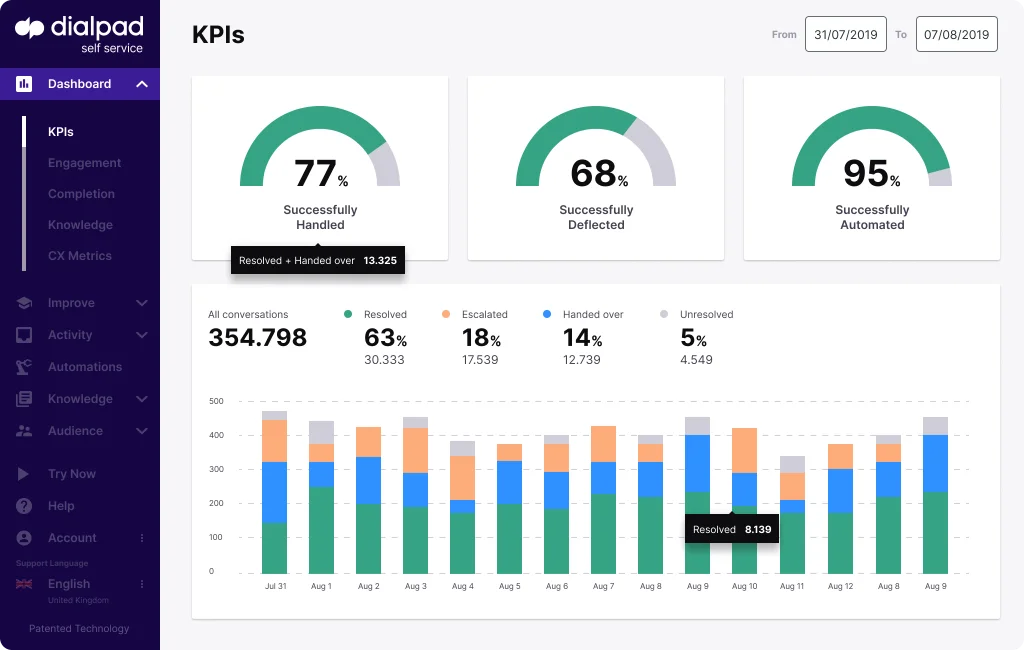
Dialpad Support is Dialpad’s inbound contact center, combining conversation intelligence, quality management, coaching and assistance, and automation in one place. It runs in the same app as Dialpad’s other business communications products, including Dialpad Connect and Dialpad Sell.
Customer history, open issues, and context carry across channels so agents can continue where the last conversation ended. AI agents handle bounded, repeatable requests and hand complex issues to people with full context, following company playbooks and guardrails.
Key features include:
- AI agents with handoff: Dialpad Resolve AI voice and digital agents resolve routine requests end to end, then hand off to a human rep fully briefed.
- AI Live Coach: Delivers live guidance and answers to agents during conversations without switching tabs.
- AI CSAT: Shows how customers felt in each interaction to identify dissatisfaction early.
- Workforce management: Forecasts demand, builds schedules, and tracks adherence.
- Dialer: Automates outreach for prospecting, fundraising, and recruiting campaigns.
- Integrations: Connects to Salesforce, Zendesk, ServiceNow, and other CRM and ticketing systems so customer context travels across conversations.
- AI governance and security: AI is tested before launch, locked to company rules, and versioned, with ISO 27001, 27017, and 27018 certifications.
Limitations (as reported by users on G2):
- App stability: Some users report crashes that require restarting the app or the contact center tab.
- AI accuracy: Reviewers note that transcriptions and sentiment analysis can be inaccurate.
- Outbound settings: Agents assigned to multiple contact centers must select one for each outbound call because default settings are not available.
- Cross-center visibility: Users would like an overall view of live calls and active agents across all contact centers.
Source: Dialpad
18. 8×8 Contact Center

Call center types offered: Cloud-based, virtual/remote, inbound, and outbound
Best for: Organizations unifying UCaaS, contact center, and CPaaS
Strengths: Unified interaction data, AI Studio agents, and proactive outreach
Things to consider: Admin tools and data exports can be limited or unintuitive
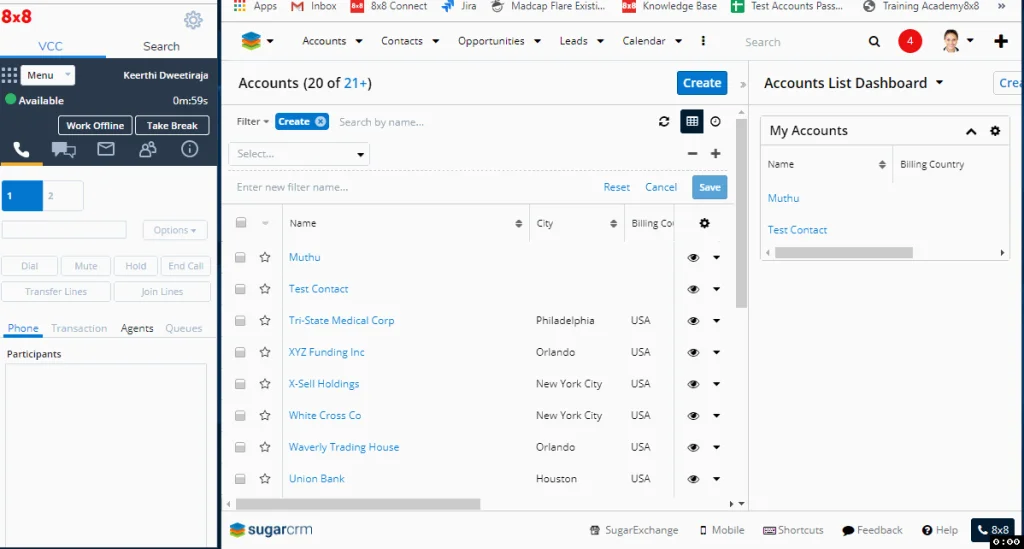
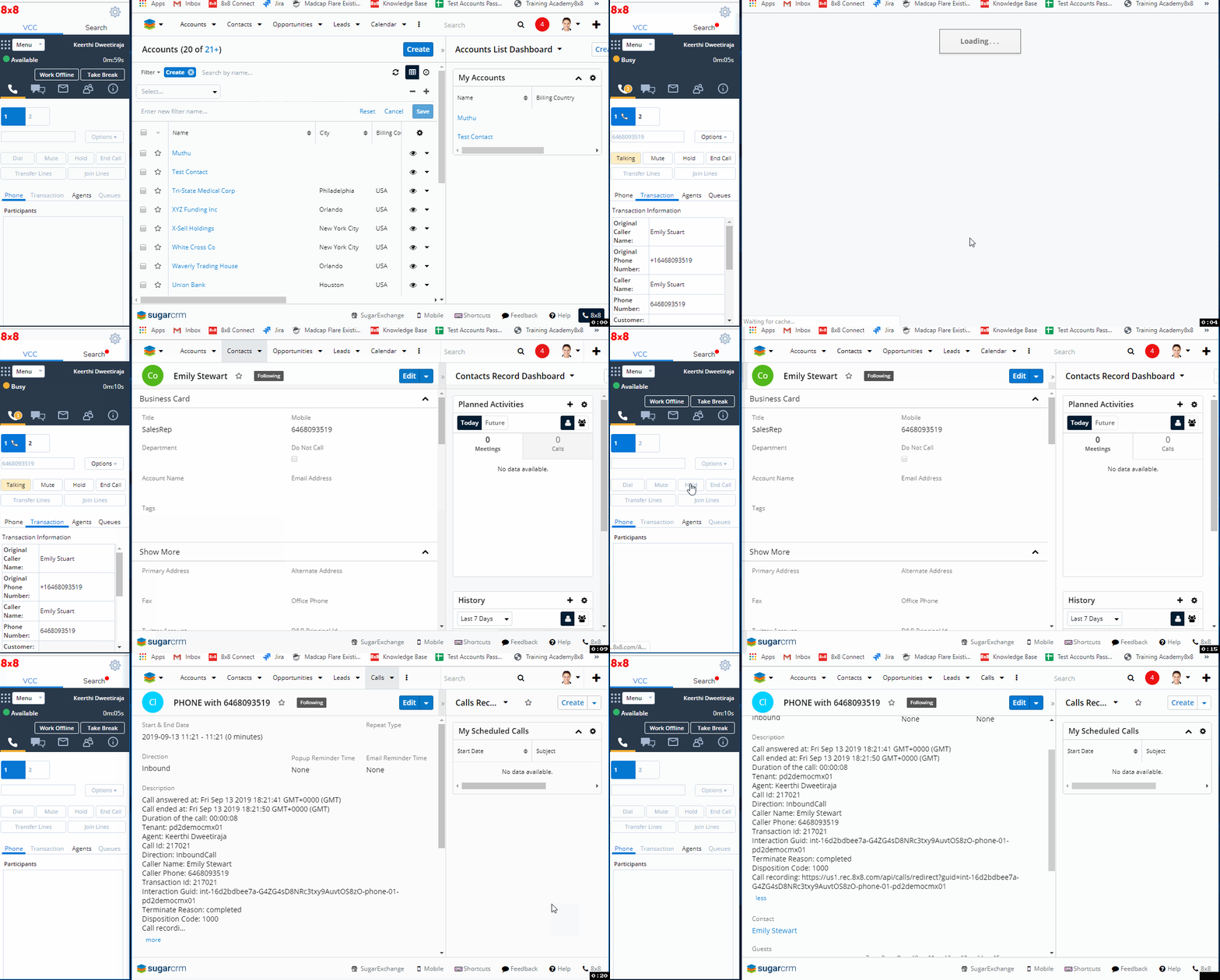
8×8 Contact Center is an AI-enabled omnichannel contact center that unifies human, bot, internal, and external interactions in one platform. It brings together UCaaS, CCaaS, CPaaS, and third-party data so agents and supervisors see complete customer journeys.
Agents work in a single workspace where AI handles simple inquiries and surfaces sentiment, history, and summaries. 8×8 AI Studio lets teams design voice and digital AI agents in natural language, and the platform supports proactive outbound engagement across channels.
Key features include:
- Native voice, video, and digital: Supports voice, chat, email, SMS, RCS, video, and social channels on one platform with unified customer history.
- AI routing: Routes customers to the right agent on the right channel with full context.
- 8×8 AI Studio: Builds AI agents for 24/7 call handling and custom self-service flows that route to live teams with context.
- Agent assistance: Surfaces relevant knowledge and next steps to agents in real time.
- Speech analytics and supervisor workspace: Analyzes conversations and provides supervisors with a workspace built on unified interaction data.
- Proactive outreach: Manages outbound campaigns and proactive notifications, such as appointment confirmations, across channels.
- Workforce management: Supports forecasting, scheduling, and tracking for service level compliance.
Limitations (as reported by users on G2):
- Data export and search: Users report that agent and analytics views lack Excel exports and search.
- Admin usability: Reviewers find the admin panel and configuration tools unintuitive, with extra training needed.
- Interface: Some users feel the interface needs an update.
- Audio and call issues: Reviewers mention audio issues and call drops.
Source: 8×8
19. Zoom Contact Center

Call center types offered: Cloud-based, virtual/remote, inbound, and outbound
Best for: Zoom Workplace customers adding an omnichannel contact center
Strengths: Native Zoom app, AI Expert Assist, and tiered omnichannel plans
Things to consider: Users report lag at peak times and limited Zoom Phone integration
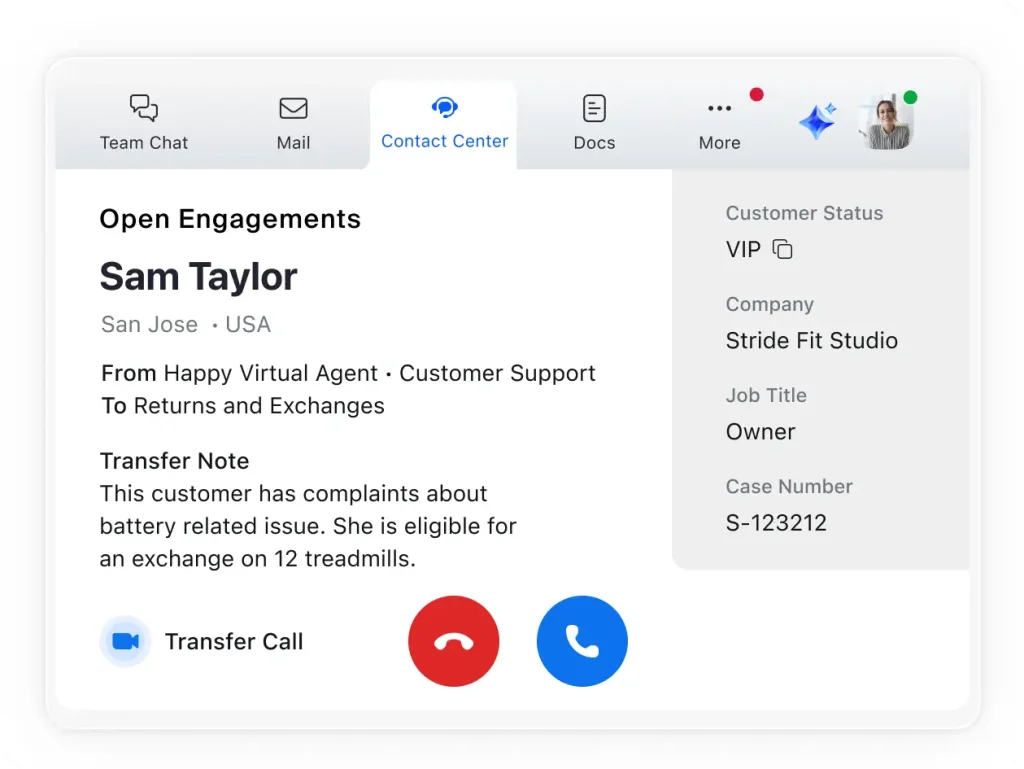
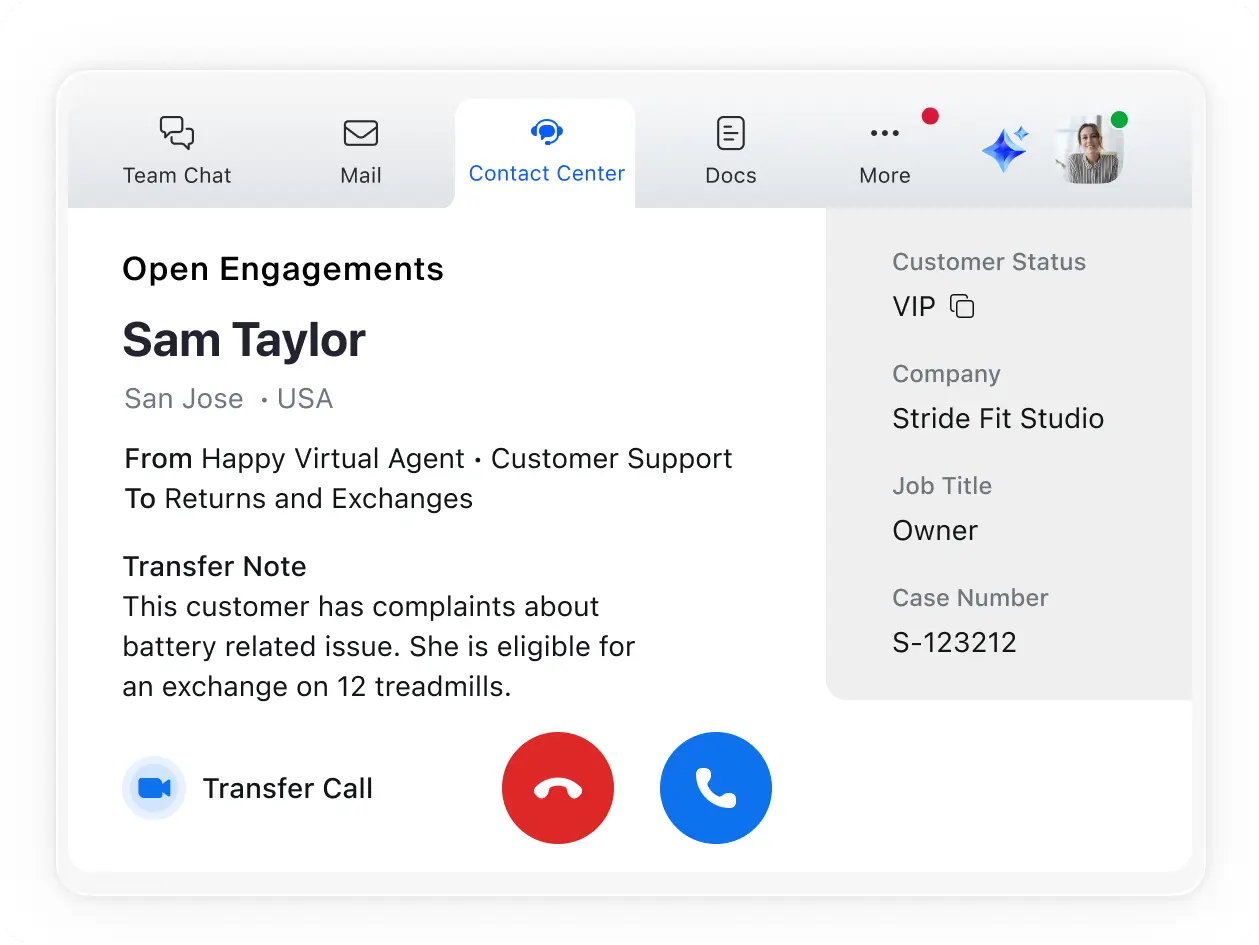
Zoom Contact Center is a cloud contact center that combines voice, video, chat, SMS, email, and social media on one platform. It runs in the Zoom Workplace app and is the core of the Zoom CX suite, which also includes Zoom Virtual Agent, AI Expert Assist, Workforce Engagement Management, and Advanced Quality Management.
Zoom Contact Center is sold in three tiers. Essentials covers inbound omnichannel with a flow editor and IVR, Premium adds email, social channels, outbound dialers, and cobrowse, and Elite adds AI Expert Assist, advanced quality management, and workforce management.
Key features include:
- AI routing and context: Routes interactions in real time to the best agent or expert, and keeps customer context and history across channels for handoffs.
- Virtual agent: Zoom Virtual Agent automates FAQs across voice and chat and escalates complex issues to live agents with customer history preserved.
- AI Expert Assist: Delivers real-time customer insights and guidance to agents across voice, chat, and video.
- Outbound dialing: Offers progressive and preview dialers, plus an agentless voice dialer that places outbound calls with IVR menus so customers can self-serve or connect to an agent.
- Supervisor dashboards: Supervisors monitor live interactions with AI alerts for critical issues, and AI suggests breaks based on agent activity.
- Analytics and reporting: Provides real-time queue visibility, role-based dashboards for live and historical data, report exports and BI integration through APIs, and journey reporting across Zoom Contact Center and Zoom Phone.
- Data privacy: Includes PII redaction, customer managed keys, and automatic masking of sensitive data when agents guide customers online.
- Integrations: Integrates with Salesforce, ServiceNow, and Google Dialogflow CX, supports WhatsApp and inbound Gmail email, and connects to 2,500+ apps in the Zoom App Marketplace.
Limitations (as reported by users on G2):
- Performance at peak load: Some users report lag when many users are online, which slows call transfers.
- Separate phone systems: Reviewers note that Zoom Contact Center and Zoom Phone operate as separate systems, which complicates call tracking and reporting.
- Features in higher tiers: Users mention that many functions sit behind higher-priced plans.
- Monitoring gaps: Reviewers would like the wallboard to show who agents are speaking with in real time, and to see prior chat interactions with returning customers.
Source: Zoom
SMB and Sales-Focused Call Center Solutions
20. Aircall

Call center types offered: Cloud-based, virtual/remote, inbound, and outbound
Best for: Small and mid-size sales and support teams needing quick setup
Strengths: Fast deployment, 250+ integrations, and AI voice agents
Things to consider: Call quality depends heavily on internet stability
Aircall is a customer communication and intelligence platform that provides call center software for sales and support teams. It combines voice, SMS and MMS, and WhatsApp in a threaded view, with AI features for in-call guidance, transcription, sentiment analysis, and coaching.
Aircall can be set up in minutes on existing devices without hardware, and integrates with CRMs and help desks such as Salesforce, HubSpot, and Zendesk. The platform also offers AI voice agents for reception, sales, support, and order management.
Key features include:
- Call monitoring: Live call monitoring with AI-driven insights supports training and call quality assurance.
- Call center analytics: Tracks wait times, missed call rates, and call volumes in one place.
- Call routing: Customizable distribution and ring rules, with CRM integration for more relevant routing.
- Threaded conversations: Provides a single view of conversations across voice and text channels.
- Workflows and collaboration: Includes multi-select filters, callback requests, shared inboxes, alerts, and centralized customer data.
- AI context and voice agents: AI surfaces customer context during conversations, and AI Voice Agents act as receptionist, sales, support, and order agents.
- Integrations: Offers 250+ native integrations with CRM, help desk, ecommerce, and productivity tools.
Limitations (as reported by users on G2):
- Connection stability: Users report inconsistent reliability, including call quality drops and delays connecting calls.
- High-volume performance: Reviewers mention performance issues under very high call volumes.
- Limited advanced customization: Some users find settings less flexible for advanced customization and reporting.
- Transcription accuracy: Reviewers note that call transcriptions can be inaccurate.
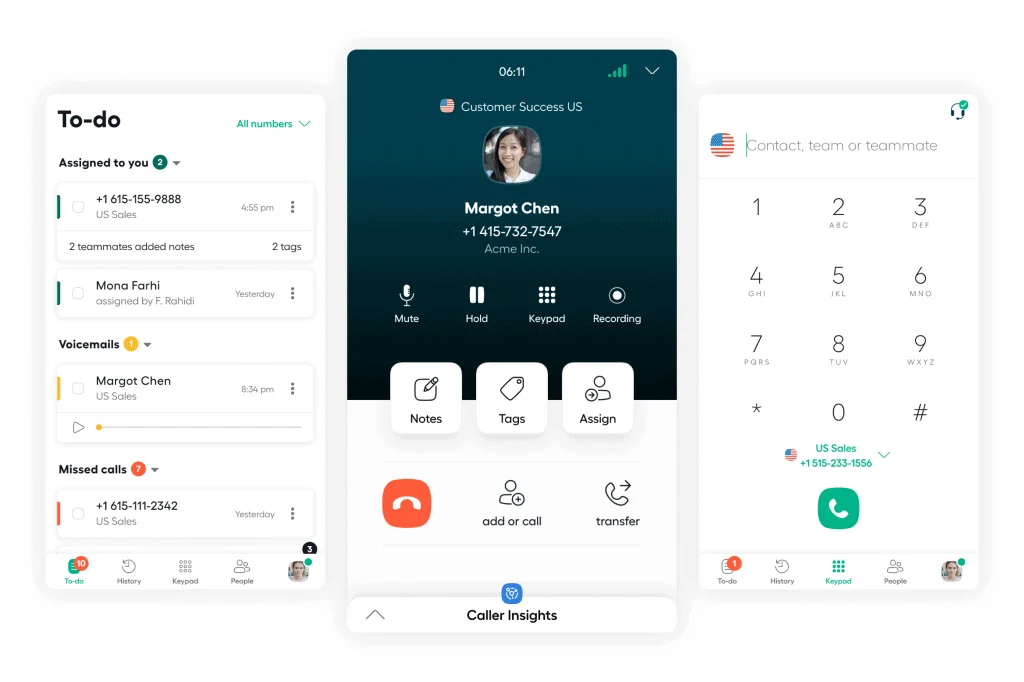
Source: Aircall

21. CloudTalk

Call center types offered: Cloud-based, virtual/remote, inbound, and outbound
Best for: SMB sales and support teams calling across many countries
Strengths: Local numbers in 160+ countries, multiple dialers, and AI voice agents
Things to consider: Many features cost extra, and some users report Wi-Fi drops
CloudTalk is cloud-based call center software for sales and support teams. It combines local numbers in 160+ countries, call routing, outbound dialers, call recording, and call analytics, with SMS and WhatsApp included. Agents work from desktop and mobile apps or the browser.
AI Voice Agents are available as an add-on that answers or places calls on the same queues and numbers as human agents, and hands calls to a person with notes attached. Every plan includes a calling package, and data is stored in AWS data centers with encryption in transit and at rest.
Key features include:
- Call Flow Designer and IVR: Builds custom call routes and voice menus, and routes calls by intent, skill, language, or VIP status across queues and transfers.
- Outbound dialers: Provides click-to-call, power dialing with adjustable pacing, and parallel dialing on up to 10 lines, with automatic voicemail detection.
- Number management: Offers local and toll-free numbers, number porting, and branded caller ID, and rotates numbers automatically to reduce spam flagging.
- Supervision and recording: Supervisors can listen, whisper, or take over live calls, and every call is recorded for later review.
- AI voice agents: AI agents work as receptionists, outbound callers, and inbound support agents in 70+ languages and accents, answering 24/7.
- Conversation intelligence: Scores calls, generates summaries and tags, transcribes calls, detects topics and sentiment, and sends AI notes to the CRM for both human and AI agent calls.
- Integrations: Connects to 100+ tools, including HubSpot, Pipedrive, Salesforce, Zoho CRM, Microsoft Teams, and Zendesk, with an API, Zapier, Make, and a native workflow builder.
- Security and access control: Holds ISO 27001 certification and SOC 2 Type II attestation, supports GDPR, CCPA, and HIPAA requirements, and offers SSO and role-based permissions.
Limitations (as reported by users on G2):
- Add-on pricing: Some users note that many features come at an additional cost.
- Connection drops: Reviewers report occasional disconnections on Wi-Fi without notification.
- Status instability: Users mention some instability when changing availability statuses.
- Analytics and mobile gaps: Some reviewers find the analytics dashboard hard to understand and note that voicemail is not accessible from the phone app.
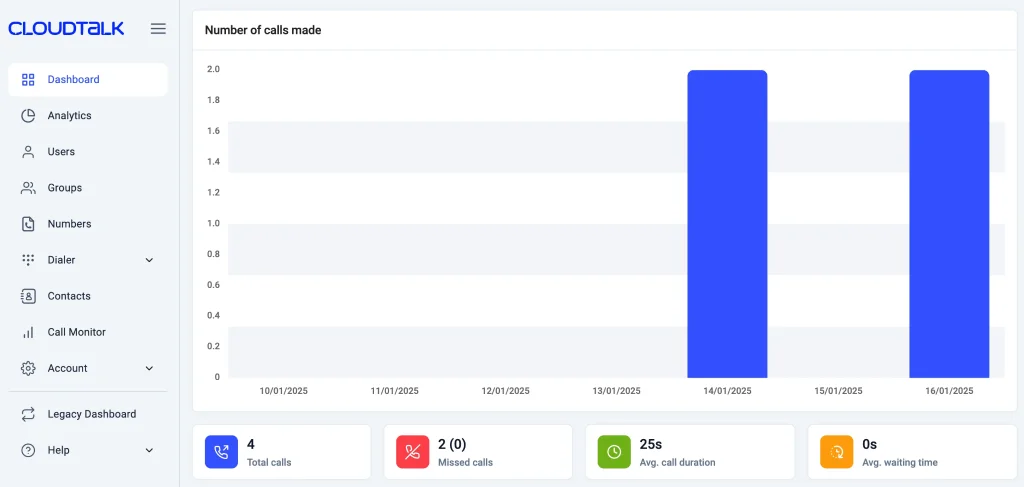
Source: CloudTalk
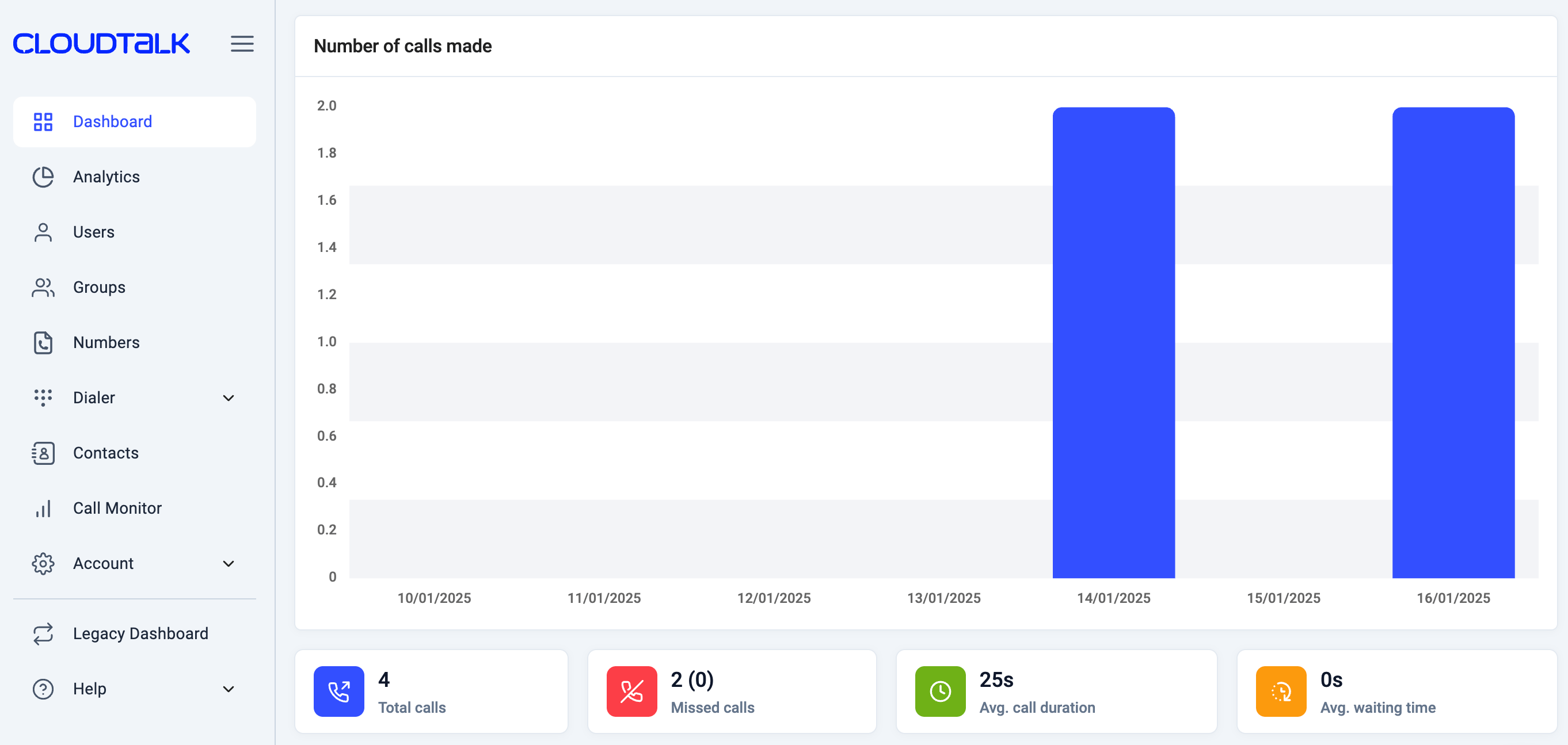
22. Convoso
Call center types offered: Cloud-based, inbound, and outbound
Best for: High-volume outbound sales and lead generation teams
Strengths: Predictive dialing, call classification, and number reputation tools
Things to consider: New users may find the interface overwhelming
Convoso is an outbound sales platform for contact centers that run high-volume calling for sales and lead generation. It combines predictive dialing, campaign management, and number management, and serves industries such as BPO, insurance, financial services, solar, legal, real estate, and home services.
Convoso for Salesforce runs dialing and number management inside Salesforce. The Convoso Voice AI Agent, built into the platform, qualifies leads, handles calls, and transfers sales-ready prospects to human agents.
Key features include:
- Predictive dialing: Uses predictive dialing optimization to keep agents in conversations and reduce idle time, with sub-5-second speed-to-lead for new leads.
- Call classification: Classifies calls and detects answering machines so agents connect with live prospects.
- Campaign management: Automates list processing, lead management, and campaign workflows, with configurable cadences, retry logic, and next-best actions.
- Number management: Convoso Ignite scores number health across carriers, automates number procurement and replacement, and prioritizes the highest-performing numbers while dialing.
- Voice AI Agent: Qualifies leads and handles calls within the outbound platform, then transfers prospects to human agents.
- Reporting and analytics: Provides detailed reporting, analytics, and performance insights for campaigns and agents.
- Additional modules: Includes call routing and management, omnichannel engagement, compliance tools, voicemail management, and APIs and integrations.
Limitations (as reported by users on G2):
- Learning curve: Some users find the interface overwhelming at first and advanced features complex to use.
- Screen and call sync: Reviewers mention slowdowns when the screen does not keep pace with calls.
- Data gathering: Users note that gathering data through reports can be more cumbersome than listening to calls directly.
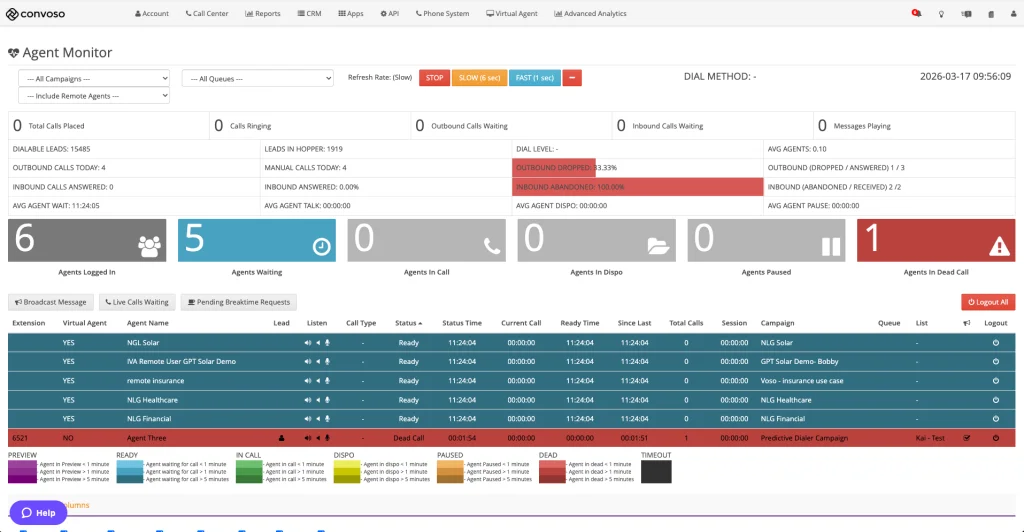
Source: Convoso
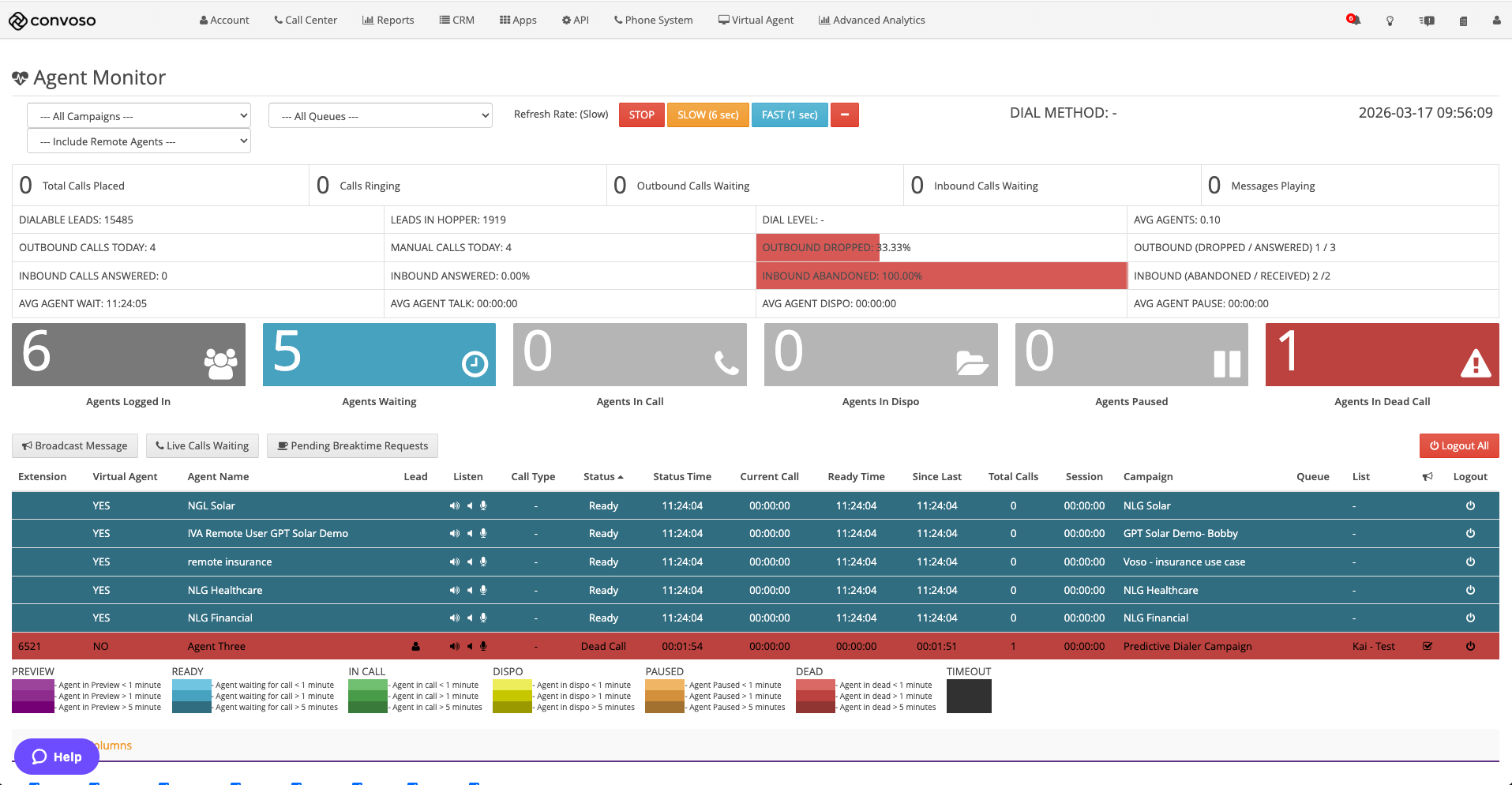
How to Choose a Call Center Solution
Choosing the right call center solution requires evaluating how well a platform supports your organization’s communication needs, operational workflows, and long-term growth. Businesses should consider factors beyond basic call management, including voice quality, international connectivity, automation, analytics, and integration capabilities. The following considerations can help organizations select a solution that improves customer experiences while maintaining operational efficiency.
1. Evaluate Call Quality, Reliability, and Global Coverage
Reliable voice connectivity is essential for maintaining customer satisfaction and minimizing dropped calls, latency, and communication disruptions. Organizations handling international calls should prioritize providers with extensive geographic coverage, carrier-grade infrastructure, and optimized routing capabilities.
Evaluate the provider’s network architecture, carrier relationships, service-level agreements (SLAs), and ability to maintain consistent call quality across regions. Providers with direct carrier connections and control over voice routing may offer greater visibility into network performance and faster troubleshooting compared to solutions relying entirely on third-party intermediaries.
2. Assess Inbound and Outbound Calling Capabilities
Determine whether the solution supports your organization’s specific calling workflows, including inbound customer support, outbound sales campaigns, or a combination of both. Essential capabilities may include automatic call distribution (ACD), interactive voice response (IVR), intelligent call routing, automatic dialing, voicemail drops, and callback management.
For outbound operations, evaluate whether the platform supports high-volume campaigns, agent-assisted dialing, and automated customer notifications. For inbound operations, prioritize efficient call queues, customizable routing rules, and features that help customers reach the appropriate agents quickly.
3. Prioritize Cloud-Based Deployment and Scalability
Cloud-based call center solutions eliminate much of the need for on-premises telephony infrastructure, allowing organizations to deploy operations more quickly and support distributed teams. Look for browser-based agent interfaces, WebRTC calling, and compatibility with existing SIP-based telephony systems where required.
The platform should also support flexible capacity management, enabling businesses to add agents, increase concurrent call capacity, and expand into new markets without major infrastructure investments. Evaluate whether the provider offers usage-based pricing or other flexible billing models that align costs with actual communication volumes.
4. Examine Real-Time Analytics and Call Monitoring
Call center analytics help organizations understand operational performance, identify service quality issues, and optimize agent productivity. Choose a solution that provides real-time dashboards, historical reporting, and visibility into metrics such as call volume, answer-seizure ratio (ASR), average call duration (ACD), call abandonment rates, and disconnect reasons.
Supervisory capabilities are equally important. Look for features such as live call monitoring, call recording, whisper coaching, and barge-in functionality. AI-powered sentiment analysis and post-call transcription can provide additional insights into customer experiences, helping managers identify problematic conversations and improve agent training.
5. Check Omnichannel Communication and Integration Capabilities
Modern customer interactions frequently extend beyond telephone calls. Evaluate whether the call center solution can integrate voice communications with SMS, WhatsApp, email, RCS, and other messaging channels to support coordinated customer engagement.
CRM and business application integrations are also important. Agents should be able to access relevant customer information, interaction histories, and lead details without repeatedly switching between systems. API support and workflow automation capabilities can further improve efficiency by enabling automated follow-ups, event-triggered communications, and integration with existing business processes.
6. Evaluate Security, Compliance, and Provider Support
Call center platforms handle sensitive customer information and business communications, making security and compliance important selection criteria. Look for role-based access controls, encrypted communications, audit logs, secure call recording, and configurable data retention policies. Organizations operating internationally should also assess applicable privacy, telecommunications, and outbound calling regulations.
Finally, evaluate the provider’s technical support capabilities, onboarding process, and responsiveness to service disruptions. Providers offering 24/7 assistance, dedicated account management, and proactive network monitoring can help organizations maintain consistent operations and resolve communication issues more efficiently.
Conclusion
Call center solutions are no longer limited to basic telephony: They now encompass a broad range of technologies that drive efficiency, improve customer satisfaction, and support strategic business goals.
Whether deployed on-premise, in the cloud, or through hybrid models, these platforms integrate voice, digital channels, analytics, and automation to streamline operations and personalize customer experiences. Choosing and implementing the right solution requires aligning tools with organizational needs, ensuring system integration, and committing to ongoing optimization.
See Additional Guides on Key Managed Services Topics
Together with our content partners, we have authored in-depth guides on several other topics that can also be useful as you explore the world of managed services.
CPaaS
Authored by MMDSmart
- [Guide] Best CPaaS Providers: Top 5 Options in 2026
- [Guide] What Is a Communications Platform as a Service (CPaaS)
- [Guide] Best CPaaS Solutions: Top 5 Options in 2026
- [Product] MessageWhiz | Smarter Messaging Across Every Channel
CDN
Authored by Imperva
- [Guide] The Essential CDN Guide
- [Guide] What is Time to Live (TTL) | TTL Best Practices | CDN Guide
- [Blog] The New York Times vs. OpenAI: A Turning Point for Web Scraping?
- [Product] Imperva Secure CDN | Fast and Secure Content Delivery Network
AWS Workspace
Authored by Venn
- [Guide] AWS Workspace: 2026 Guide to Features, Pricing, and Alternatives
- [Guide] AWS WorkSpaces Pricing Tiers, Examples & Cost-Cutting Tips
- [Whitepaper] How to Secure Contractor Access on Unmanaged Endpoints
- [Product] The Secure Workspace for Remote Work